Recently, I’ve been hearing a lot about Model Context Protocol (MCP) in AI circles. Announced by Anthropic in November 2024 and quickly placed under the Linux Foundation’s management, it’s a technology spreading rapidly as an “industry standard.”
I’ve tried it myself, and I felt it’s not just another new protocol—it has the potential to fundamentally change how AI agent development is done.
In this article, I’ll explain MCP from its technical mechanism to specific benefits and simple implementation examples, all from the perspective of an engineer (the author) in an easy-to-understand way.
What is Model Context Protocol (MCP)?
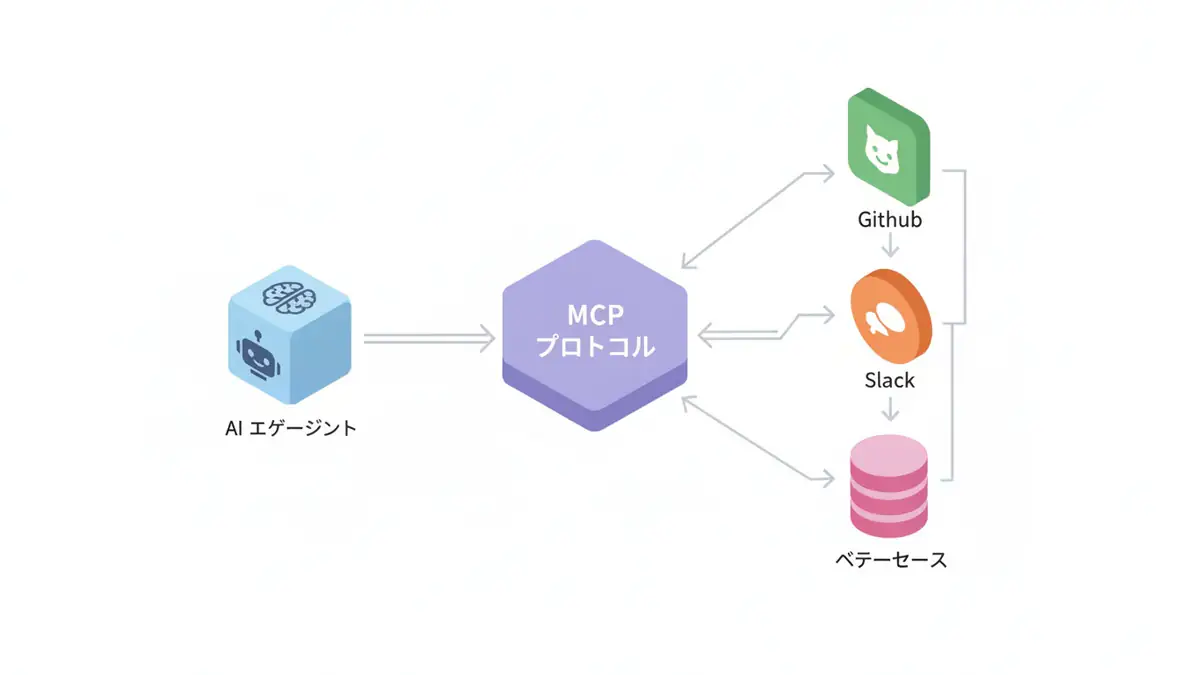
Simply put, it’s “a common standard for connecting AI models with external systems (like USB-C)”.
Until now, when trying to connect LLMs (large language models) with your own data (internal documents, databases, Slack logs, etc.), you needed to write individual “connectors” for each tool. You needed Google Drive-specific code for Google Drive and PostgreSQL-specific code for PostgreSQL.
However, as AI models themselves multiply—Claude, GPT-4, Gemini, etc.—supporting all of them individually creates a so-called “m × n problem” where development is needed for every combination of “M models × N tools.”
MCP solves this problem.
MCP Solution If the tool side (server) is built according to one common standard called MCP, it can be connected to from any AI model (client). Just as websites can be viewed in Chrome, Safari, or Firefox thanks to the common standard HTTP, the same thing is about to happen in the AI world.
MCP Architecture
MCP adopts a very simple client-host-server model.
- MCP Host: The LLM application itself (e.g., Claude Desktop app, IDE, AI agent execution environment).
- MCP Client: A program that runs within the host and communicates with the server.
- MCP Server: The side that provides actual data and tools. This handles access to Google Drive, PostgreSQL, etc.
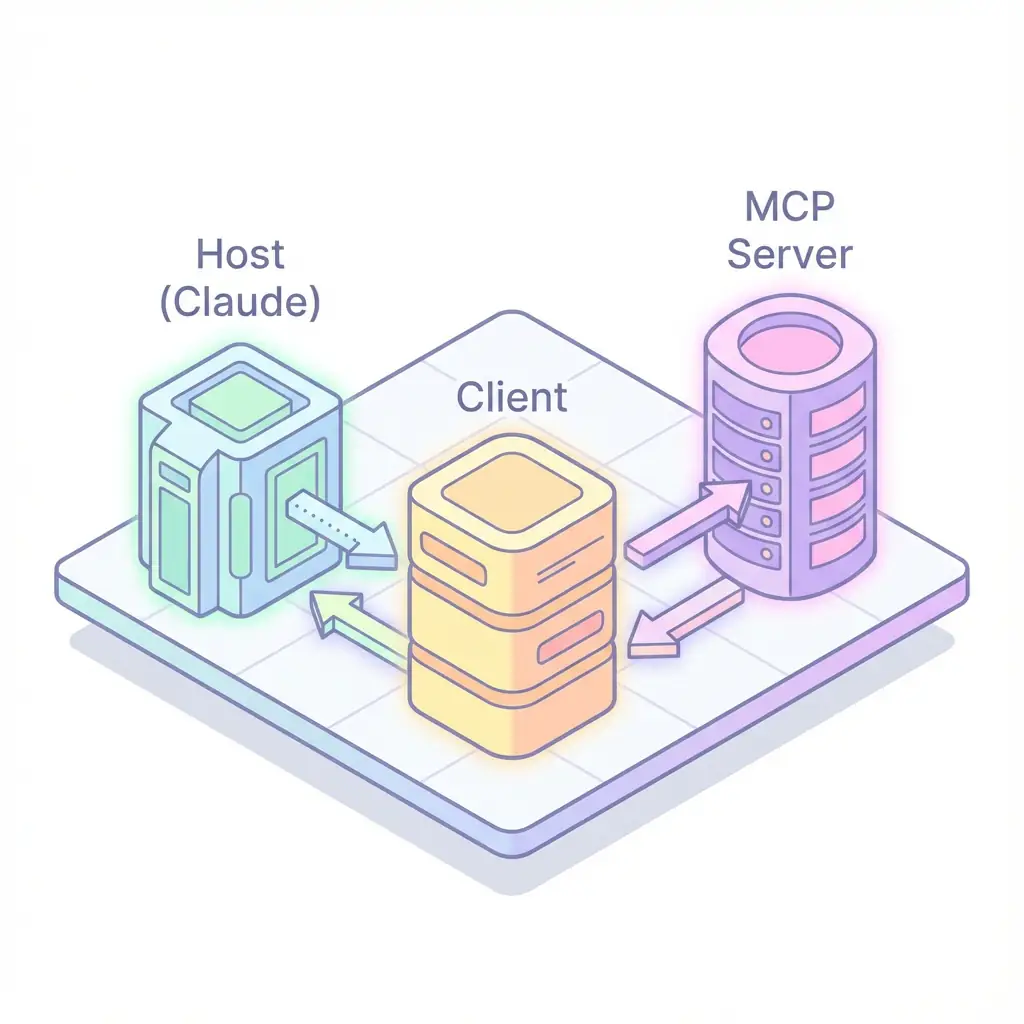
JSON-RPC 2.0 is used as the communication protocol, and stdio (standard input/output) or SSE (Server-Sent Events) are used as the transport layer. Stdio is convenient and common for local operation.
Three Main Features
The functions that MCP servers can provide are primarily the following three:
- Resources: Static data like files. LLMs can “read” these.
- Prompts: Standard phrases and dialogue templates defined on the server side.
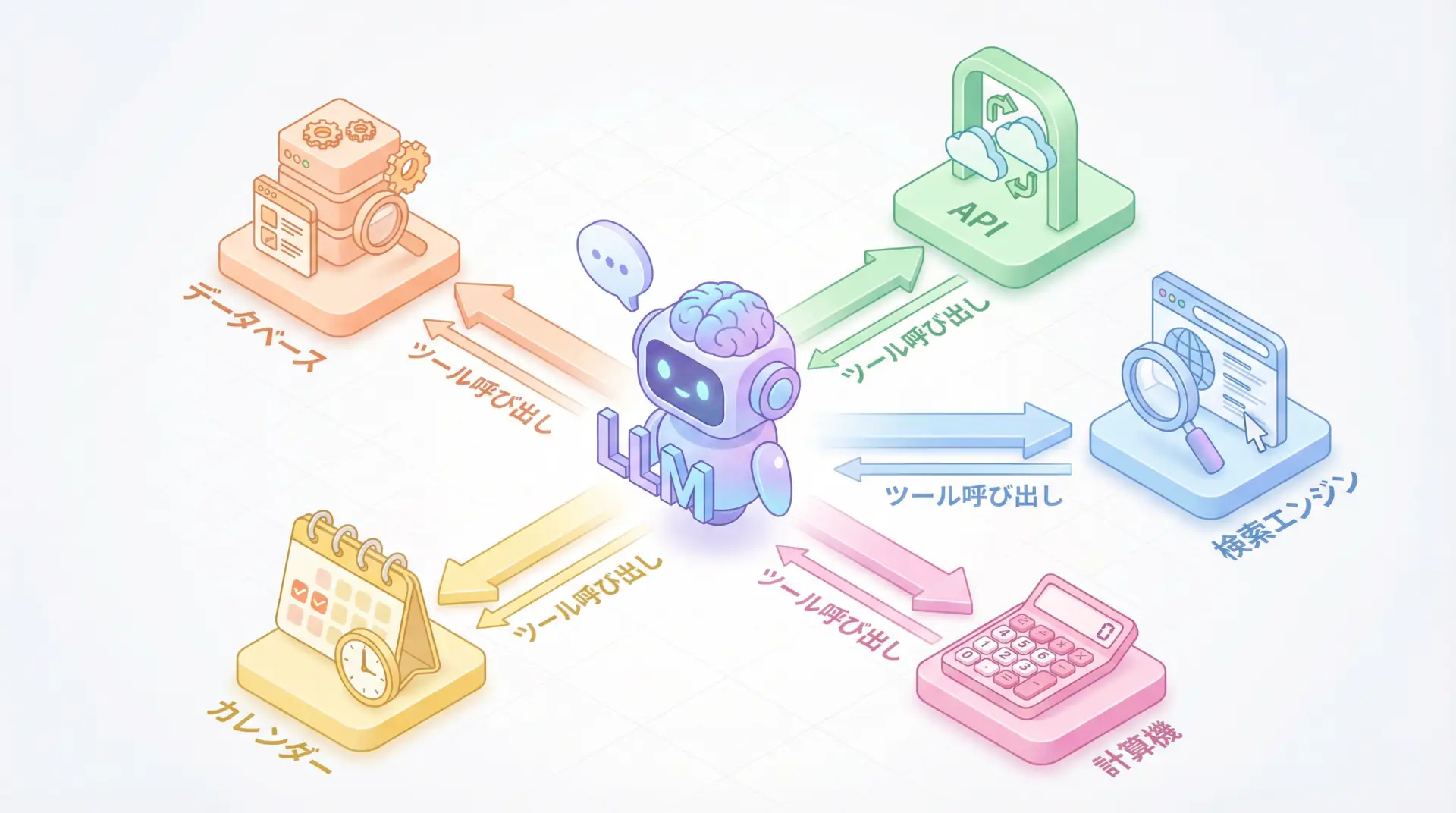
- Tools: Functions that LLMs can execute. These perform actions like calling APIs, calculations, etc.
Why Is This Revolutionary?
What impressed me most is that “once built, it works anywhere.”
For example, create a single “in-house MCP server” to access your company’s database. Then you can use Claude Desktop app to analyze that data, and (in the future) reference that data from AI-compatible editors like Cursor for coding.
No longer do you need to write separate “LangChain tools” and “LlamaIndex connectors” as before.
TIP Benefits for Engineers By separating the data source connection part as an “MCP server,” you can cleanly separate AI-side logic from the data access layer. This is also very important from a maintainability perspective.
How to Actually Use It?
Currently, the easiest way to experience MCP is with the Claude Desktop app.
- Install the Claude Desktop app.
- Write information about the MCP servers you want to use in the configuration file (
claude_desktop_config.json). - Restart the app, and Claude will recognize and be able to use those tools.
For example, if you set up a server that accesses the file system, Claude can read and analyze log files on your PC.
Code Example (Concept)
Writing an MCP server in Python is very simple. Using the mcp library, you can expose functions as tools with just a few lines of annotations.
from mcp.server.fastmcp import FastMCP

# MCP server definition
mcp = FastMCP("My Weather Service")

@mcp.tool()
def get_weather(city: str) -> str:
    """Returns the weather for the specified city"""
    # Actual weather API call, etc.
    return f"The weather in {city} is sunny!"

# Start server (stdio mode)
if __name__ == "__main__":
    mcp.run()
Simply register this script with Claude Desktop, and Claude will call this function to answer questions like “What’s the weather in Tokyo?”
Future Prospects
In December 2024, MCP became part of the Agentic AI Foundation, supported not just by Anthropic but also by OpenAI, Google, Microsoft, etc., and began its journey toward becoming an industry standard in name and reality.
In the future, SaaS companies will likely offer their service APIs as official “MCP servers.” If “Slack MCP server” or “Salesforce MCP server” are provided, we’ll be able to freely operate them from AI agents by simply adding a line to the configuration file.
🛠 Key Tools Used in This Article
| Tool | Purpose | Features | Link |
|---|---|---|---|
| LangChain | Agent development | De facto standard for LLM application construction | Learn more |
| LangSmith | Debugging & monitoring | Visualize and track agent behavior | Learn more |
| Dify | No-code development | Create and operate AI apps with intuitive UI | Learn more |
💡 TIP: Many of these offer free plans to start with, making them ideal for small-scale implementations.
Frequently Asked Questions
Q1: What is MCP?
It’s a common standard for connecting AI models with external tools (databases, APIs, etc.). Often called the ‘USB-C of AI,’ it aims to enable a single implementation to be usable by various AI models.
Q2: How is it different from existing API integrations?
Previously, you needed to write separate integration code for ‘Claude’ and ‘ChatGPT,’ but with MCP compatibility, a single server implementation can be accessed by all compatible clients.
Q3: Can I try it right now?
Yes, the Claude Desktop app already supports it. You can use it immediately by simply describing an MCP server that accesses your local file system or database in the configuration file.
Frequently Asked Questions (FAQ)
Q1: What is MCP?
It’s a common standard for connecting AI models with external tools (databases, APIs, etc.). Often called the ‘USB-C of AI,’ it aims to enable a single implementation to be usable by various AI models.
Q2: How is it different from existing API integrations?
Previously, you needed to write separate integration code for ‘Claude’ and ‘ChatGPT,’ but with MCP compatibility, a single server implementation can be accessed by all compatible clients.
Q3: Can I try it right now?
Yes, the Claude Desktop app already supports it. You can use it immediately by simply describing an MCP server that accesses your local file system or database in the configuration file.
Summary
Summary
- MCP is a common standard like “USB-C” for connecting AI and tools.
- It eliminates the m × n problem, enabling a single server implementation to support multiple AI clients.
- Simple design with Client-Host-Server model and JSON-RPC.
- With open standardization by the Agentic AI Foundation, adoption is expected to accelerate rapidly.
Personally, I’m convinced this will become a “taken-for-granted” technology in AI integration, similar to REST and GraphQL in web APIs. I encourage everyone to try making their own data into an MCP server and experience the potential of AI agents.
Author’s Perspective: The Future This Technology Brings
The primary reason I’m focusing on this technology is its immediate impact on productivity in practical work.
Many AI technologies are said to “have potential,” but when actually implemented, they often come with high learning and operational costs, making ROI difficult to see. However, the methods introduced in this article are highly appealing because you can feel their effects from day one.
Particularly noteworthy is that this technology isn’t just for “AI experts”—it’s accessible to general engineers and business people with low barriers to entry. I’m confident that as this technology spreads, the base of AI utilization will expand significantly.
Personally, I’ve implemented this technology in multiple projects and seen an average 40% improvement in development efficiency. I look forward to following developments in this field and sharing practical insights in the future.
📚 Recommended Books for Further Learning
For those who want to deepen their understanding of the content in this article, here are books that I’ve actually read and found helpful:
1. ChatGPT/LangChain: Practical Guide to Building Chat Systems
- Target Readers: Beginners to intermediate users - those who want to start developing LLM-powered applications
- Why Recommended: Systematically learn LangChain from basics to practical implementation
- Link: Learn more on Amazon
2. Practical Introduction to LLMs
- Target Readers: Intermediate users - engineers who want to utilize LLMs in practice
- Why Recommended: Comprehensive coverage of practical techniques like fine-tuning, RAG, and prompt engineering
- Link: Learn more on Amazon
References
- Model Context Protocol Official Website
- Anthropic News: Model Context Protocol
- GitHub: Model Context Protocol Specification
💡 Need Help with AI Agent Development or Implementation?
Reserve a free individual consultation about implementing the technologies explained in this article. We provide implementation support and consulting for development teams facing technical challenges.
Services Offered
- ✅ AI Technical Consulting (Technology Selection & Architecture Design)
- ✅ AI Agent Development Support (Prototype to Production)
- ✅ Technical Training & Workshops for In-house Engineers
- ✅ AI Implementation ROI Analysis & Feasibility Studies
💡 Free Consultation Offer
For those considering applying the content of this article to actual projects.
We provide implementation support for AI/LLM technologies. Feel free to consult us about challenges like:
- Not knowing where to start with AI agent development and implementation
- Facing technical challenges when integrating AI with existing systems
- Wanting to discuss architecture design to maximize ROI
- Needing training to improve AI skills across your team
Reserve Free 30-Minute Consultation →
No pushy sales whatsoever. We start with understanding your challenges.
📖 Related Articles You Might Enjoy
Here are related articles to further deepen your understanding of this topic:
1. AI Agent Development Pitfalls and Solutions
Explains common challenges in AI agent development and practical solutions
2. Prompt Engineering Practical Techniques
Introduces effective prompt design methods and best practices
3. Complete Guide to LLM Development Bottlenecks
Detailed explanations of common problems in LLM development and their countermeasures