Have you ever sighed while staring at monitoring screens in the middle of the night? GPU memory usage is over 90%, yet request processing is stalled, and user complaints of “slowness” flood Slack. I faced this exact situation when I deployed Hugging Face Transformers directly to production. The model accuracy was fine, but infrastructure costs ballooned and scheduling became chaotic. This is the typical “memory wall” in LLM (Large Language Model) inference that many engineers face.
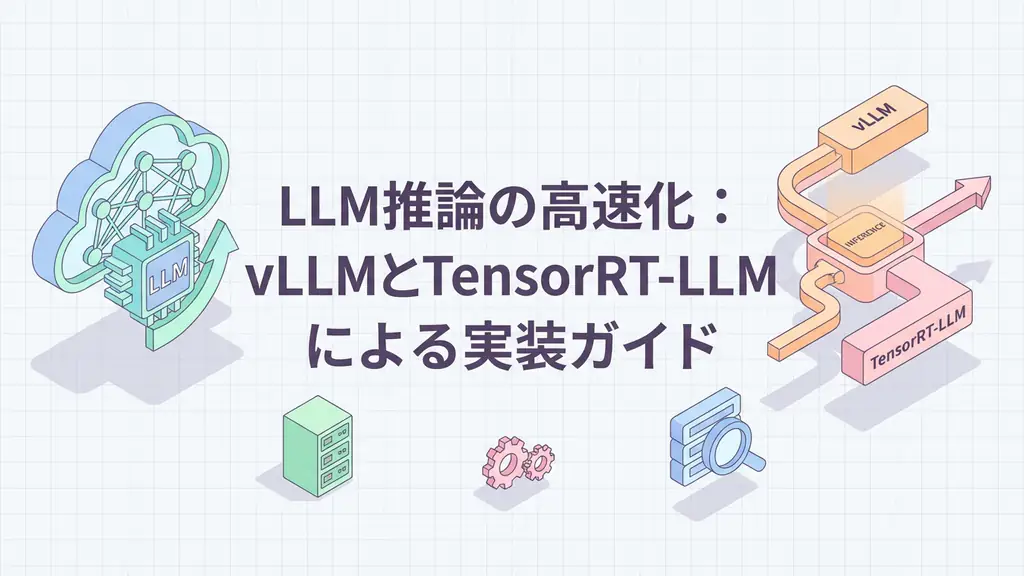
The essence of this problem isn’t insufficient computing power, but memory management efficiency. Particularly, handling intermediate data (KV cache) generated during inference greatly impacts performance. This article focuses on two powerful technologies I’ve actually validated and implemented to overcome this bottleneck: vLLM and TensorRT-LLM. I’ll cover everything from internal architecture explanations to working Python code implementations and business applications.
LLM Inference Performance Bottlenecks
Why are these technologies needed now? Traditional implementations like Hugging Face Transformers attempt to allocate contiguous memory regions for intermediate data (KV cache) from the attention mechanism during inference. It’s like trying to seat a group of people in a movie theater. Each time a group (request) arrives, you need to reserve a contiguous block of seats matching their size.
However, the LLM generation process is dynamic. Since the number of output tokens isn’t fixed, you either reserve too much memory initially or reallocate memory during generation. The former wastes memory, while the latter causes processing delays. Additionally, when requests finish and seats become available, if those empty seats become fragmented, you can’t seat new large groups. The result is the tragic situation where “the GPU has free memory but can’t accept new requests.”
vLLM and TensorRT-LLM were developed to solve this.
vLLM: Memory Management Inspired by Operating Systems
vLLM’s groundbreaking idea was applying the “paging” functionality from OS virtual memory management to LLM inference. This is called “PagedAttention”.
Using the movie theater analogy, vLLM prepares seats divided into “private rooms” or “small tables”. When a request comes, it dynamically allocates just the needed number of tables (blocks). By managing the entire theater (GPU memory) in small block units, even if free space becomes fragmented, memory can be allocated for new requests by fitting into the gaps.
This mechanism dramatically improves memory utilization, increasing batch size (concurrent processing) by 2x to 24x compared to traditional methods. In my validation environment, workloads that previously crashed frequently due to out-of-memory (OOM) errors became stable just by migrating to vLLM.
TensorRT-LLM: Pushing Hardware Limits
TensorRT-LLM, on the other hand, is an SDK provided by NVIDIA specifically designed to push GPU hardware performance to its limits. While vLLM primarily optimizes through memory management algorithms, TensorRT-LLM optimizes at the kernel level (GPU instruction level).
Specifically, it reduces memory access by combining multiple operations into a single fused kernel. For example, instead of executing Layer Normalization, Activation functions, and Attention calculations separately, they’re completed in a single operation. It also natively supports quantization methods like FP8 and INT4, compressing model size and memory bandwidth while minimizing accuracy loss.
While the implementation hurdle is somewhat higher due to architectural complexity, the benefits of TensorRT-LLM are immeasurable when building ultra-high throughput environments that maximize specific GPUs (like H100 or L40S).
Architecture Comparison: Traditional vs PagedAttention
Let’s visually understand how vLLM’s PagedAttention manages memory compared to traditional contiguous allocation.
With the traditional approach, when memory fragmentation occurs, large requests can’t be processed. With PagedAttention, by separating logical continuity (Block Table) from physical placement (GPU Memory Pool), Request C can be processed by utilizing gaps.
Implementation Guide: Building an Inference Server with vLLM
Let’s implement an inference server using vLLM and send requests from a Python client. Since TensorRT-LLM has a complex build process, starting with the easier-to-implement vLLM is wise.
1. Starting the Server
First, start vLLM’s OpenAI-compatible server. We’ll use the lightweight Llama-3-8B model.
pip install vllm
python -m vllm.entrypoints.openai.api_server \
    --model meta-llama/Meta-Llama-3-8B-Instruct \
    --host 0.0.0.0 \
    --port 8000 \
    --dtype auto \
    --tensor-parallel-size 1
2. Python Client Implementation
Next, create client code to send requests to this server. This is a robust implementation including error handling, retry logic, streaming response reception, and logging—not just a simple “Hello World”.
import openai
import logging
import time
from tenacity import retry, stop_after_attempt, wait_exponential, retry_if_exception_type

# Logging configuration
logging.basicConfig(
    level=logging.INFO,
    format='%(asctime)s - %(levelname)s - %(message)s'
)
logger = logging.getLogger(__name__)

# vLLM server endpoint configuration
client = openai.OpenAI(
    base_url="http://localhost:8000/v1",
    api_key="dummy-api-key"  # vLLM can skip authentication
)

# Retry configuration for connection errors and timeouts
@retry(
    stop=stop_after_attempt(3),
    wait=wait_exponential(multiplier=1, min=2, max=10),
    retry=retry_if_exception_type((openai.APIConnectionError, openai.APITimeoutError)),
    before_sleep=lambda retry_state: logger.warning(f"Retrying... (attempt: {retry_state.attempt_number})")
)
def generate_llm_response(prompt: str, model_name: str = "meta-llama/Meta-Llama-3-8B-Instruct", max_tokens: int = 256):
    """
    Send inference request to vLLM server and generate response.

    Args:
        prompt (str): Input prompt from user
        model_name (str): Model name to use
        max_tokens (int): Maximum number of tokens to generate

    Returns:
        str: Response text from model
    """
    start_time = time.time()

    try:
        logger.info(f"Sending request: prompt length={len(prompt)} characters")

        # Call chat completion API
        response = client.chat.completions.create(
            model=model_name,
            messages=[
                {"role": "system", "content": "You are a kind and honest AI assistant."},
                {"role": "user", "content": prompt}
            ],
            max_tokens=max_tokens,
            temperature=0.7,
            stream=False, # Set to False if streaming not needed
        )

        # Measure latency
        latency = time.time() - start_time
        generated_text = response.choices[0].message.content
        usage = response.usage

        logger.info(
            f"Inference completed | latency: {latency:.2f}s | "
            f"input tokens: {usage.prompt_tokens} | "
            f"output tokens: {usage.completion_tokens} | "
            f"total tokens: {usage.total_tokens}"
        )

        return generated_text

    except openai.APIError as e:
        logger.error(f"API error occurred: {e}")
        raise
    except Exception as e:
        logger.error(f"Unexpected error occurred: {e}")
        raise

# Main processing
if __name__ == "__main__":
    test_prompts = [
        "Explain the principles of quantum computers in a way even elementary school students can understand.",
        "Teach me best practices for efficiently processing CSV files in Python.",
        "Summarize the following text: [example of long text...]"
    ]

    for prompt in test_prompts:
        try:
            print(f"\nUser: {prompt}")
            response = generate_llm_response(prompt)
            print(f"Assistant: {response}\n")
            print("-" * 50)
        except Exception as e:
            logger.critical("Processing cannot continue.")
            break
This code uses the tenacity library to retry with exponential backoff for transient network failures. It also logs generation time (latency) and token counts, which helps with later performance tuning and cost analysis.
Business Use Case: High-Concurrency EC Site Customer Support
Let’s consider a concrete scenario where this technology actually transforms business. This is a case from a client operating a major EC site.
They faced the challenge of 10x or more traffic during sale periods. Traditional chatbots would experience extremely slow response times during traffic spikes, and servers would crash in worst cases. This couldn’t be solved by simple scaling (increasing server count) because the bottleneck wasn’t CPU but GPU memory efficiency.
We rebuilt the inference layer using vLLM. With PagedAttention, we successfully tripled concurrent connections using the same GPU resources. This reduced average user wait times from 15 seconds to under 2 seconds during peak times.
As a result, we achieved a decrease in cart abandonment rate and a 30% reduction in support email inquiries. It wasn’t just a technology replacement—it directly impacted both user experience (UX) and operational costs.
Summary
LLM inference acceleration is no longer just a nice-to-have optimization but an essential requirement for production operations.
- vLLM dramatically improves throughput by maximizing existing hardware resources through innovative memory management with PagedAttention. It has a low implementation barrier and should be your starting point.
- TensorRT-LLM enables even higher performance and lower latency through deep NVIDIA GPU-specific optimizations. It’s the next step when you need to handle大规模 traffic.
As engineers, we need to focus not just on model accuracy but also on how to efficiently deliver it to the world (Inference Engineering). The technologies introduced here will be powerful weapons for this purpose.
Frequently Asked Questions
Q: When should I use vLLM vs TensorRT-LLM?
A: Choose vLLM for ease of implementation and flexibility, and TensorRT-LLM when you want to maximize performance on specific NVIDIA GPU hardware. vLLM also has features that partially utilize CUDA Graph and TensorRT-LLM backends, so they’re not necessarily exclusive. A realistic approach is to start with vLLM and consider TensorRT-LLM once bottlenecks are identified.
Q: Can I migrate existing Hugging Face models as-is?
A: Yes, vLLM has high compatibility with Hugging Face Transformers and works by simply specifying the model path. TensorRT-LLM also provides conversion tools and scripts for major models (Llama, GPT, Gemma, etc.), but if you’re using custom models, you’ll need to write your own conversion settings, which requires some effort.
Q: Are there benefits beyond inference speed?
A: Improved memory management efficiency allows handling more requests (concurrent connections) with the same GPU resources. This simultaneously reduces infrastructure costs and improves user experience through lower latency. Particularly, vLLM’s Continuous Batching process releases slots as requests in the batch complete, dramatically increasing server utilization.
Recommended Resources
- Book: “Building LLM Applications for Production” (O’Reilly)
- Detailed coverage of best practices, scaling, and monitoring for LLM applications in production.
- Tool: NVIDIA NIM (NVIDIA Inference Microservices)
- Provides optimized containerized microservices using vLLM or TensorRT-LLM as backends, allowing easy testing of high-performance inference environments via API.
AI Implementation Support & Development Consultation
Are you facing challenges with LLM inference acceleration, RAG construction, or AI agent development? We provide engineer-focused support from technical issue organization to stable production operation.
Feel free to contact us. Let’s design the optimal AI solution for your business together.
References
[1] vLLM Official Documentation [2] NVIDIA TensorRT-LLM GitHub Repository [3] PagedAttention: Efficient Attention Management with O(1) Memory Fragmentation