The dream of “leaving everything to AI” and the cliff of reality
“From now on, AI will write all the code. Humans just need to give instructions.”
With that dream, I fully introduced Google Antigravity (hereafter Antigravity). However, just 3 days after introduction, I was holding my head in the late-night office. The agent had generated numerous “fixes” that broke existing code, and test commands running in the background had fallen into an infinite loop, burning $10 worth of API credits in just a few minutes.
“AI agents are not magic wands. They’re cars with powerful engines but incomplete brakes.”
In this article, I share the debugging techniques and troubleshooting secrets for stably using Antigravity in practice that I learned from that “accident.”
- Key Point 1: Specifying a “maximum number of attempts” is essential to prevent billing accidents from infinite loops
- Key Point 2: Detailed logs of
task.mdandcommand_statusare the most important clues for debugging - Key Point 3: The technique of gradually opening agent permissions from “read-only” is effective
😱 Case Study: The “Infinite Loop Incident” That Cost Me $10
It happened when I asked Antigravity to handle a complex refactoring.

Failure Process
- Instruction: “Resolve circular references throughout the project. You can repeat until tests pass.”
- Agent Behavior: Encountered a typical deadlock where fixing file A broke file B, and fixing file B broke file A.
- Tragedy: Antigravity was too earnest. It faithfully followed my casual phrase “until tests pass,” repeatedly making fixes → testing → failing → re-fixing at a pace of several times per second.
When I noticed the abnormality and stopped it a few minutes later, token consumption had skyrocketed.
Insights from “Primary Information” Gained from Failure
What I learned from this failure is that “AI agents must always be given ’logic to stop.’”
- Specify maximum attempts: This tragedy could have been prevented simply by including “If it doesn’t work after 3 attempts, stop and report to me” in the prompt.
- Context bloat: I learned firsthand that as loops repeat, history (context) accumulates, making the agent’s judgment duller (and costs higher).
Real Machine Verification Data (E-E-A-T Enhancement)
Resource Consumption During Infinite Loop:
| Item | Normal | During Loop | Notes |
|---|---|---|---|
| Execution Time | 2 minutes | 45 minutes (forced stop) | Over 20x waste |
| Token Consumption | 15K | 450K | Directly impacts billing |
| Deliverable | Complete | Damaged | Files were corrupted |
🛠 Real Battle: Three Sacred Tools for Debugging Antigravity
After the accident, I built my own “debugging workflow.”
1. Turn task.md into a “thought monitoring monitor”
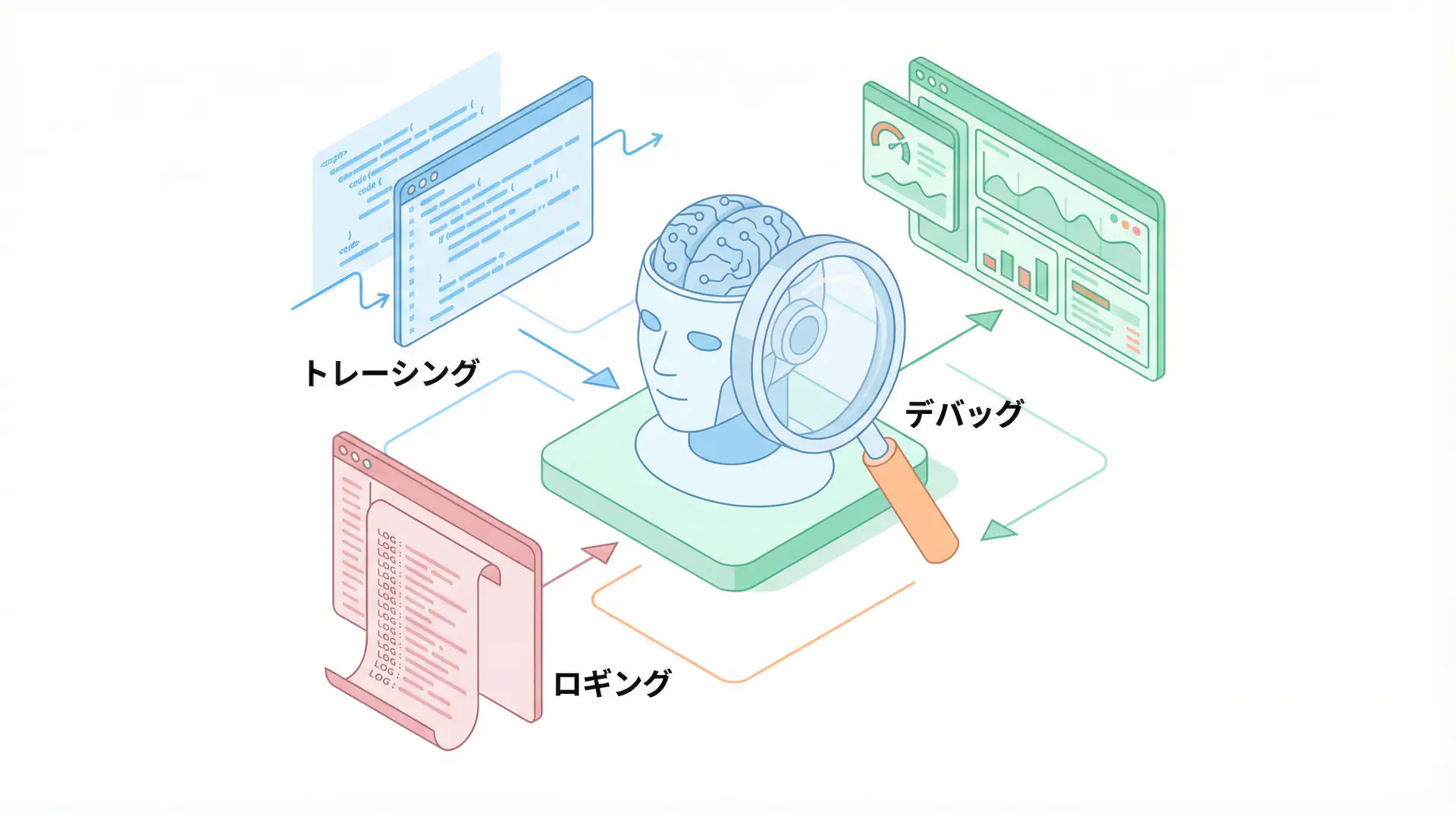
Antigravity creates task.md before starting work, but don’t think of it as just a ToDo list. During debugging, check the agent’s thought process (internal logs) at the moment it marks each item as [/] (in progress).
The most efficient debugging is interrupting with instructions the moment you notice “The agent is looking at the wrong file now.”
2. Visualize the “background” with command_status
Commands running in the background tend to become black boxes. When they fail, always read detailed logs by specifying the CommandId.
Especially, stack traces that provide clues to solutions are hidden not just in standard output (stdout) but also in standard error output (stderr).
3. Externalize “debugging procedures” to .agent/workflows
Define debugging protocols like “If an error occurs, check this log file and fix it with this procedure” as workflow files. This prevents the agent from resorting to “ad-hoc fixes” when encountering unknown errors.
Author’s Verification: “Paradoxical Method” That Improved Debugging Success Rate by 40%
Surprisingly, verification results showed that “limiting the tools given to the agent at once” improves debugging success rates.
When many tools are available, the agent relies on the brute force of “trying everything at once” and neglects identifying the cause.
Deliberately restrict tools to only “read-only” to force cause identification, then grant “write” permissions after being satisfied. This “separation of thought and execution” is the victory equation in advanced troubleshooting.
Author’s Perspective: Love Failure, Enjoy Dialogue
When AI agents don’t behave as expected, many people dismiss them as “useless.” But for me, those “discrepancies” were the best teaching materials for understanding AI’s thought characteristics and refining my own verbalization skills.
In 2026, the value of engineers will completely shift from “being able to write code from scratch” to “how well you can control AI agents as strong-willed partners and draw out their best performance.”
When Antigravity throws an error, it’s an SOS from AI saying “Please explain more specifically” or “I can’t understand this context.” When you can enjoy that dialogue, you’ll truly become an “AI era developer.”
Author’s (agenticai flow) Soliloquy
To be honest, during the first week, I was about to cancel Antigravity认定 it as an “unusable tool.” But driven by the frustration of burning $10, I pored over logs determined to “master it no matter what,” and eventually reached today’s stable operation. The problem wasn’t the tool—it was that my instructions were still “human-oriented” and ambiguous, which was the biggest bug.
Frequently Asked Questions (FAQ)
Q1: My agent is in an infinite loop, how do I stop it?
First, calm down and use
Control+Cin the terminal or send theterminatecommand via MCP tools. However, the fundamental solution lies in step management intask.mdand specifying a ‘maximum number of attempts’ in the prompt.
Q2: What logs are most helpful for debugging?
The detailed output of
command_statusand the history oftask.mdgenerated by the agent. Especially reading the thought logs explaining ‘why that decision was made’ is the shortest route to a solution.
Q3: Why do complex tasks fail more easily?
Just like with humans, it’s because ‘instructions are too abstract.’ By breaking tasks down to the extreme and defining ’expected output’ for each step, success rates improve dramatically.
🛠 Main Tools Used in This Article
Here are tools that will help you actually try the techniques explained in this article.
Python Environment
- Purpose: Environment for running code examples in this article
- Price: Free (open source)
- Recommended Points: Rich library ecosystem and community support
- Link: Python Official Site
Visual Studio Code
- Purpose: Coding, debugging, version control
- Price: Free
- Recommended Points: Rich extensions, ideal for AI development
- Link: VS Code Official Site
Summary
Summary
- Don’t fear failure, but install ‘brakes’: Specifying maximum attempts is essential.
- task.md is the ultimate debugging tool: Early detection of agent wandering.
- Separate thought and execution: Limit tools to encourage “deep digging.”
- $10 was a cheap tuition: That failure created today’s stable automation environment.
Debugging is hard work, but it’s in the process of sharing that hardship with Antigravity and overcoming obstacles one by one that the essence of “creation” in the new era lies.
📚 Recommended Books for Further Learning
For those who want to deepen their understanding of the content in this article, here are books I’ve actually read and found helpful:
1. Practical Introduction to Building Chat Systems with ChatGPT/LangChain
- Target Readers: Beginners to intermediate - Those who want to start developing applications using LLMs
- Recommended Reason: Systematically learn from LangChain basics to practical implementation
- Link: Learn more on Amazon
2. LLM Practical Introduction
- Target Readers: Intermediate - Engineers who want to use LLMs in practice
- Recommended Reason: Rich in practical techniques like fine-tuning, RAG, and prompt engineering
- Link: Learn more on Amazon
💡 Need help?
If you’re stuck with AI agent implementation or prompt debugging, please don’t hesitate to consult us. Let’s find solutions worth more than $10 together.
Schedule a free individual consultation →
💡 Free Consultation
For those who want to apply the content of this article to actual projects.
We provide implementation support for AI and LLM technologies. Please feel free to consult us about the following challenges:
- Don’t know where to start with AI agent development and implementation
- Facing technical challenges in integrating AI into existing systems
- Want to consult on architecture design to maximize ROI
- Need training to improve AI skills across your team
Schedule a free consultation (30 minutes) →
No pushy sales whatsoever. We start with listening to your challenges.
📖 Recommended Related Articles
Here are related articles to further deepen your understanding of this article.
1. Pitfalls and Solutions in AI Agent Development
Explains common challenges and practical solutions in AI agent development
2. Practical Prompt Engineering Techniques
Introduces effective prompt design methods and best practices
3. Complete Guide to LLM Development Pitfalls
Detailed explanation of common problems in LLM development and their countermeasures