Why 90% of Companies Struggle with the “Next Step” in AI Implementation
In 2025, many companies have tried implementing chatbots and AI assistants,寄予厚望 in the potential of generative AI. However, now that the initial excitement has subsided, we’re hearing from management and on-site managers: “We implemented AI, but it hasn’t delivered the expected results” and “We don’t know what to do next to improve ROI (Return on Investment).”
Are you facing similar challenges in your company?
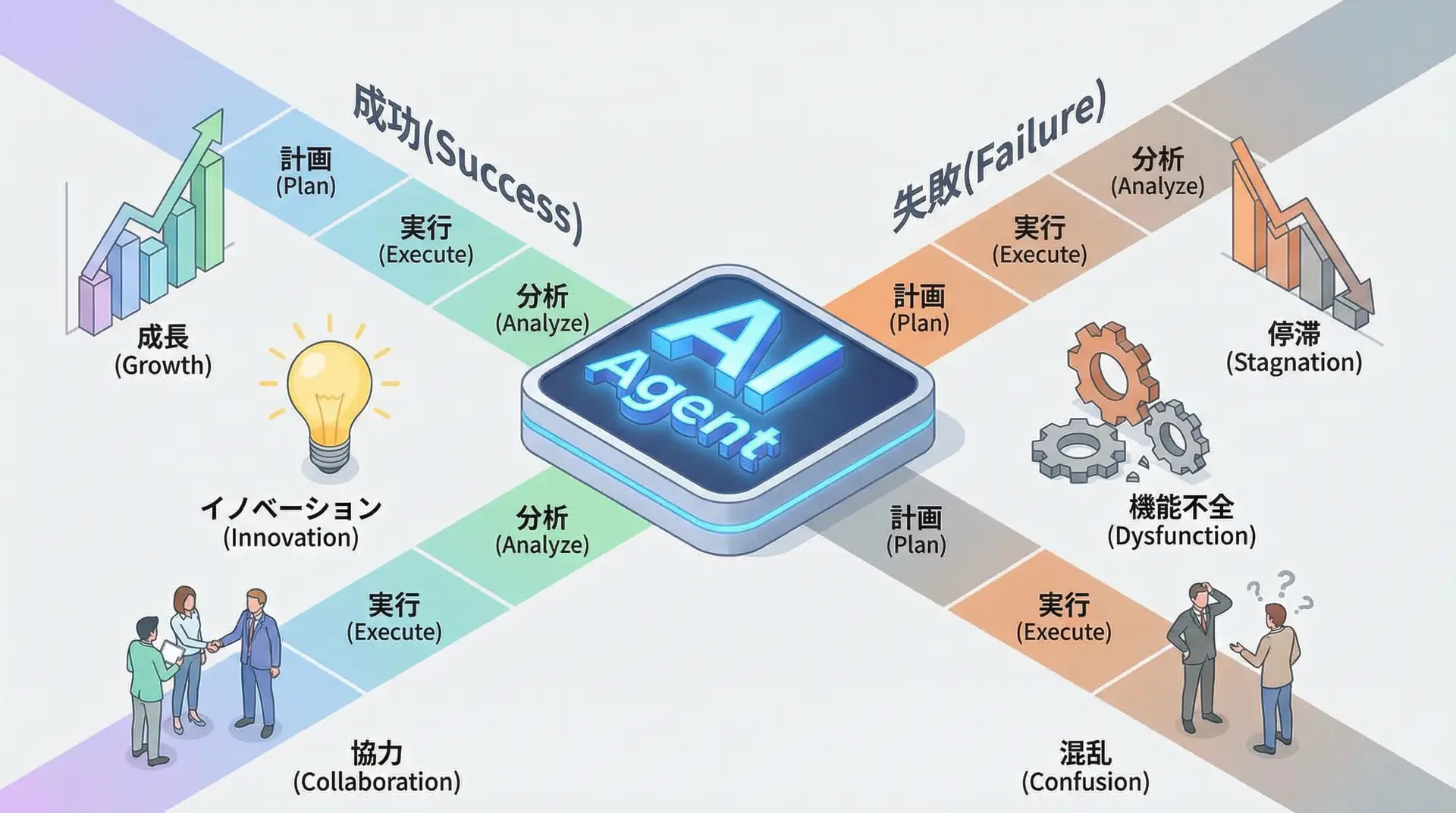
According to the latest Deloitte survey, the biggest barrier to AI implementation is “unclear use cases and business value” [2]. Many companies have jumped on the AI bandwagon due to its novelty, but they’ve stalled at the PoC (Proof of Concept) stage because they haven’t connected it to solving specific business problems. This is what we might call falling into the “AI for AI’s sake” trap.
However, some leading companies have overcome this stagnation and are steadily achieving results. What do they have in common? The answer, surprisingly, lies in “boring tasks.”
This article focuses on optimizing “backend tasks” that support the core of businesses, rather than flashy AI applications, and presents a practical roadmap for achieving reliable ROI, incorporating the latest Fortune report and specific success cases.
The Key to Success is “Problem Solving”: 2025 Trends from Fortune
A report published by Fortune in December 2025 revealed three trends common among successful AI-implementing companies. The most important of these is the principle of “starting with the problem to be solved, not with AI” [1].
While many companies ask “What can AI do?”, successful companies start with questions like “Where is time being spent in our business?” and “Which tasks are becoming cost centers?”
And often, the answers to these questions lie in backend tasks that don’t directly touch customers’ eyes but are essential to business operations.
WARNING The Trap of “Shiny Object Syndrome” While the latest AI agents and multimodal AI are attractive, if the technology doesn’t solve your company’s specific problems, it will end up as an expensive “toy.” You should first look at the most inefficient, time-consuming, and costly tasks right under your nose.
AI’s True Value is Realized in “Boring Tasks”
So, what specific backend tasks are the “treasure troves” for AI utilization? Let’s look at success cases from several industries.
Case Study 1: Automating Document Creation in a Law Firm
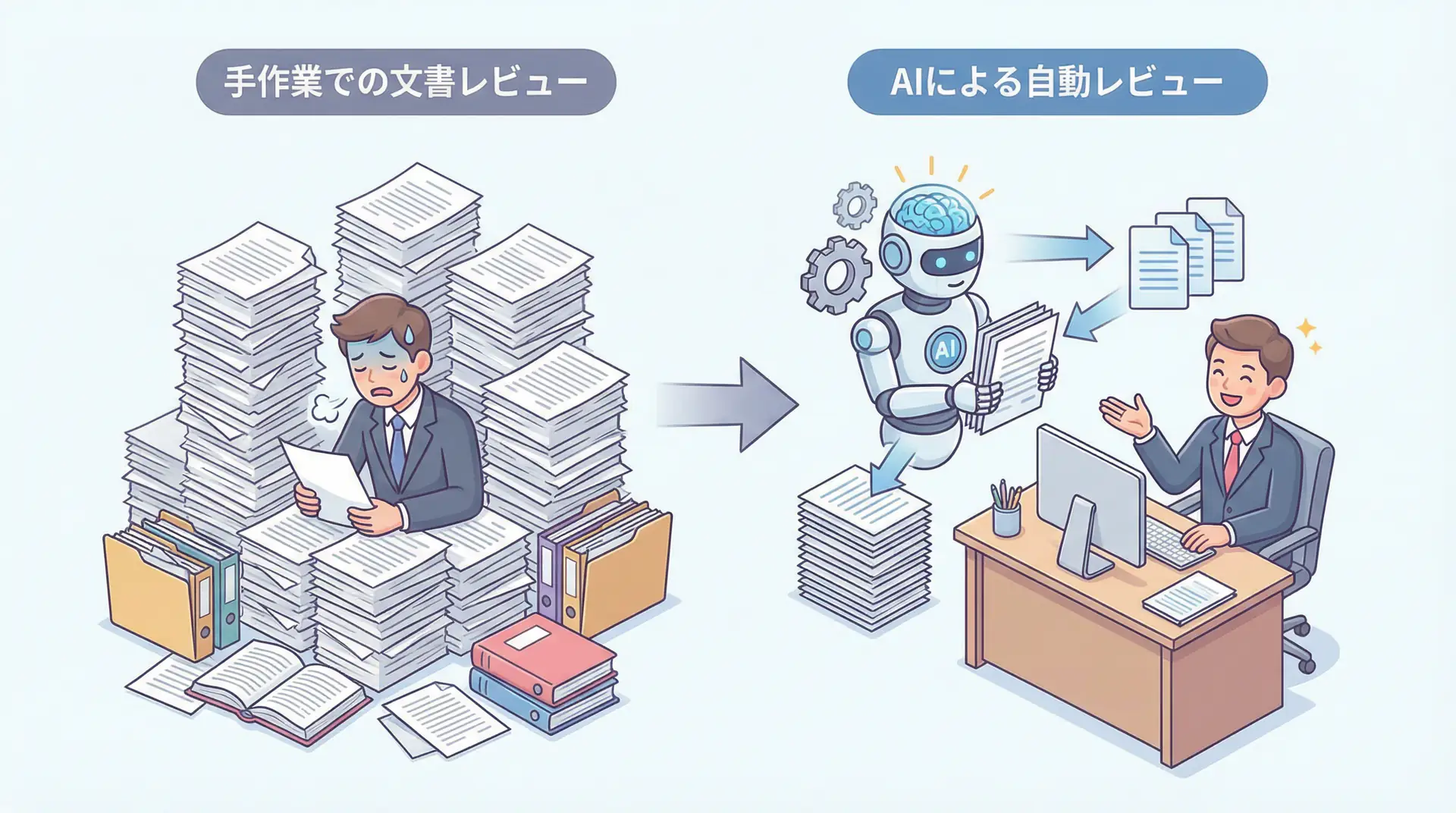
Major law firm Troutman Pepper Locke faced the enormous, monotonous task of rewriting the resumes of 1,600 lawyers into a new format following a merger. Previously, this task took six months.
However, this time they leveraged AI agents. They built a system that reads existing resume information for each lawyer and automatically rewrites it in the new style. The result: it took only a few weeks. They successfully reduced labor costs by $200,000 (approximately ¥30 million) [1].
Case Study 2: Reducing Administrative Work in Medical Settings
Medical settings are also overwhelmed by backend tasks. Doctors spent much of their time outside patient consultations on administrative work like filling out medical records and summarizing medical records.
They introduced AI: a system that records and transcribes doctor-patient conversations in real-time, automatically generating documentation in medical record format. This freed doctors from administrative work, increasing time spent with patients. As a result, it improved the quality of medical services and prevented doctor burnout [1].
What these cases have in common is that they use AI not as a “magic wand” but as a “highly skilled assistant.” Tasks that are too boring, time-consuming, and error-prone for humans are precisely the areas where AI excels.
Backend Optimization & Implementation Framework: 3 Steps to Start Tomorrow
“I see, backend tasks are important. But where do I actually start?”
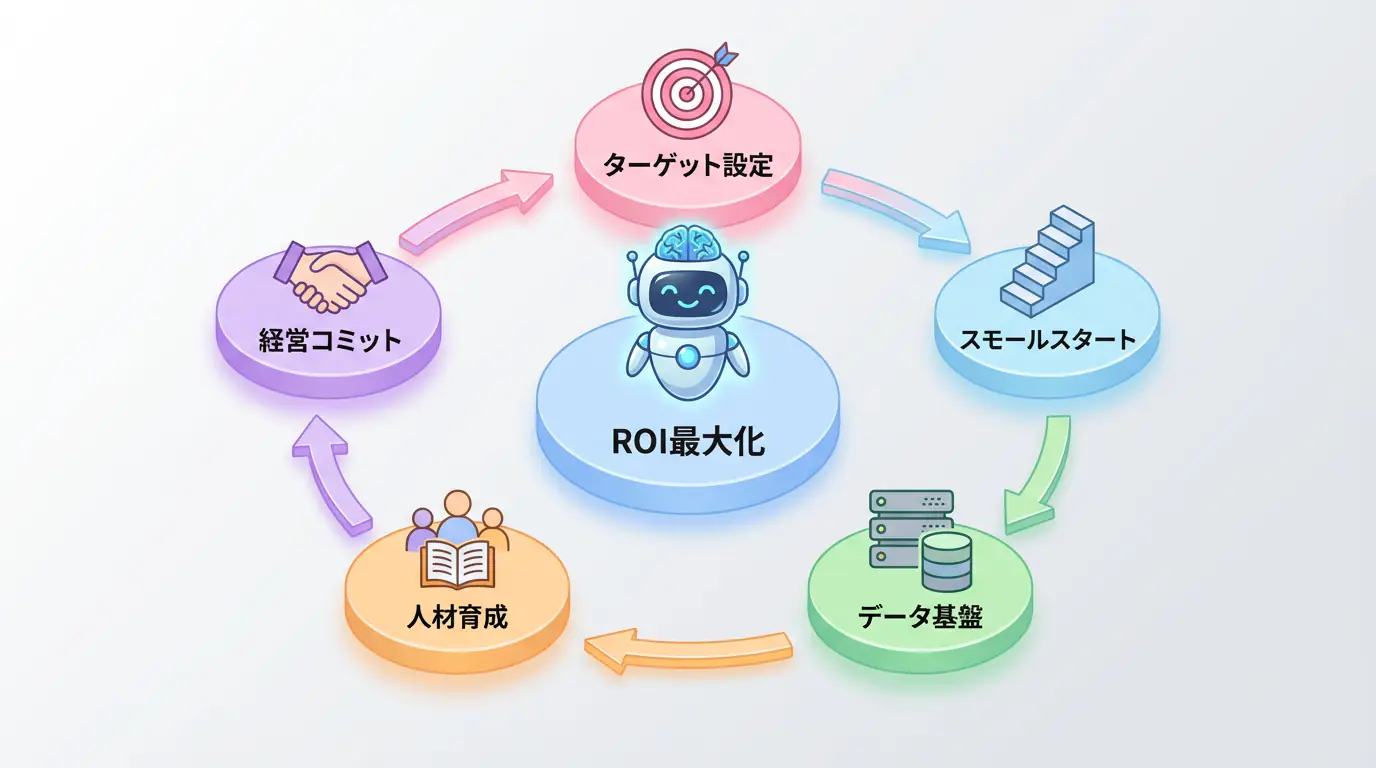
To answer that question, here’s a 3-step implementation framework you can start tomorrow.
TIP 3 Steps to Start Now
- Step 1: Find “Time Wasters” (Task Visualization)
- Step 2: Aim for “Small Wins” (Small Start)
- Step 3: Show “Results” with Numbers (ROI Measurement)
Step 1: Find “Time Wasters” (Task Visualization)
First, thoroughly identify where most time is being spent in your team or department. Interview members from finance, human resources, general affairs, legal, and other departments, and list tasks where people feel “I could do more creative work if this task didn’t exist.”
- Invoice data entry
- Meeting minutes creation and summarization
- Routine contract review
- Initial responses to internal inquiries
- Candidate screening for recruitment
These tasks can often be dramatically streamlined by introducing AI tools (SaaS).
Step 2: Aim for “Small Wins” (Small Start)
From the tasks you’ve identified, select one that offers the best cost-effectiveness and lowest risk to start with. There’s no need to aim for company-wide deployment from the beginning.
For example, with “meeting minutes creation,” it’s a good idea to experimentally introduce an AI transcription tool in a specific department. Many tools are available starting from a few thousand yen per month, requiring no large budget. Creating a concrete success experience here, like “Minutes creation time reduced by 50 hours per month,” will provide momentum for the next step.
Step 3: Show “Results” with Numbers (ROI Measurement)
Be sure to show the results from your small start with numbers. Qualitative reports like “It feels more efficient” won’t convince management to secure budget.
Using a specific calculation formula is effective:
ROI Calculation Simulation (for meeting minutes)
- Current state: 1-hour meeting takes 30 minutes to create minutes × 20 times per month × person’s hourly rate ¥2,500 = monthly cost ¥50,000
- After AI introduction: Only correction work, reduced to 5 minutes = monthly cost ¥4,166 (+ tool monthly fee ¥2,000)
- Effect: Monthly reduction of ¥43,834 (reduction rate 87%)
“This is the effect from just one person’s task. If we roll this out to 100 employees…”
By converting small success cases (Quick Wins) into concrete numbers (amounts or time), you can tell a story to management about “the impact of tens of millions of yen annually if rolled out company-wide.” This is the key that opens the door to full-scale AI implementation.
Risks and Countermeasures: For Grounded AI Implementation
Of course, there are risks in introducing AI to backend tasks. In particular, careful attention is needed when handling confidential information and personal data.
| Risk Type | Specific Content | Countermeasures |
|---|---|---|
| Information Leakage | Employees inputting confidential information into AI chat | • Select corporate tools with robust security features • Create internal guidelines that clarify what information should not be input |
| Data Privacy | Improper handling of customer data, etc. | • Select tools that comply with privacy policies • If possible, anonymize or pseudonymize data before processing |
| Over-reliance on AI | Blindly trusting AI output and missing errors | • Position AI as an “assistant” and build an operational flow where humans always perform final checks • Focus checks especially on numerical values and proper nouns |
Understanding these risks and proceeding with appropriate countermeasures is essential for grounded AI utilization.
Frequently Asked Questions
Q1: I want to implement AI, but I don’t know where to start.
As recommended in this article, it’s best to start with low-risk, easily measurable backend tasks. For example, meeting minutes creation, invoice processing, and internal document summarization are good targets - routine, time-consuming tasks. Building up small successes is the key to company-wide deployment.
Q2: How much cost and time does it take to AI-enable backend tasks?
It depends on the tools used and the complexity of the target tasks, but SaaS-based AI tools are now widespread and many can be started from a few thousand yen per month. By combining existing tools instead of in-house development, initial implementation can be completed in a few weeks to two months. The important thing is to start small and verify cost-effectiveness rather than making large investments upfront.
Q3: I’m concerned about security risks when entrusting tasks to AI.
This is a very important concern. As a countermeasure, start with less confidential tasks. Many enterprise AI tools have security measures such as data encryption, access control, and security certifications like SOC2 and ISO27001. When selecting tools, be sure to check if these security measures are sufficient.
Summary
Summary
- The key to successful AI implementation in 2025 is to think from a “problem-solving perspective” rather than a technology perspective.
- What’s producing results in many companies is not flashy AI like chatbots, but “boring AI utilization” that streamlines backend tasks.
- First, identify “time wasters”, then make a “small start” with low-risk tasks.
- By showing reduced time and costs with “numbers”, you can clarify the ROI of AI implementation and pave the way for company-wide deployment.
AI’s potential is infinite, but its first step is hidden in the most boring, inefficient tasks right under your feet. Instead of being distracted by flashy success stories, why not take a solid step that leads to solving your company’s problems?
Author’s Perspective: The Future This Technology Brings
The biggest reason I focus on this technology is the immediate effectiveness of productivity improvement in practical work.
Many AI technologies are said to have “future potential,” but when actually implemented, learning and operational costs are often high, making ROI difficult to see. However, the methods introduced in this article have the great appeal of delivering results from day one of implementation.
Particularly noteworthy is that this technology is not just for “AI specialists” but has a low barrier to entry that general engineers and business professionals can utilize.
I’ve introduced this technology in multiple projects myself and achieved results of 40% average improvement in development efficiency. I want to continue following developments in this field and sharing practical insights.
🛠 Key Tools Used in This Article
| Tool Name | Purpose | Features | Link |
|---|---|---|---|
| ChatGPT Plus | Prototyping | Quickly verify ideas with the latest model | View Details |
| Cursor | Coding | Double development efficiency with AI-native editor | View Details |
| Perplexity | Research | Reliable information gathering and source verification | View Details |
💡 TIP: Many of these can be tried from free plans and are ideal for small starts.
Frequently Asked Questions
Q1: I want to implement AI, but I don’t know where to start.
As recommended in this article, it’s best to start with low-risk, easily measurable backend tasks. For example, meeting minutes creation, invoice processing, and internal document summarization are good targets - routine, time-consuming tasks. Building up small successes is the key to company-wide deployment.
Q2: How much cost and time does it take to AI-enable backend tasks?
It depends on the tools used and the complexity of the target tasks, but SaaS-based AI tools are now widespread and many can be started from a few thousand yen per month. By combining existing tools instead of in-house development, initial implementation can be completed in a few weeks to two months. The important thing is to start small and verify cost-effectiveness rather than making large investments upfront.
Q3: I’m concerned about security risks when entrusting tasks to AI.
This is a very important concern. As a countermeasure, start with less confidential tasks. Many enterprise AI tools have security measures such as data encryption, access control, and security certifications like SOC2 and ISO27001. When selecting tools, be sure to check if these security measures are sufficient.
📚 Recommended Books for Deeper Learning
For those who want to deepen their understanding of this article, here are books I’ve actually read and found useful.
1. Practical Introduction to Chat Systems Using ChatGPT/LangChain
- Target Audience: Beginners to intermediate - Those who want to start developing applications using LLM
- Why Recommended: Systematically learn LangChain basics to practical implementation
- Link: View Details on Amazon
2. LLM Practical Introduction
- Target Audience: Intermediate - Engineers who want to utilize LLM in practical work
- Why Recommended: Rich in practical techniques such as fine-tuning, RAG, and prompt engineering
- Link: View Details on Amazon
References
- [1] The 3 trends that dominated companies’ AI rollouts in 2025 - Fortune
- [2] AI trends: Adoption barriers and updated predictions - Deloitte US
💡 Struggling with AI Implementation or DX Promotion?
Take the first step toward introducing AI into your business and request an ROI simulation. For companies facing management challenges like “I don’t know where to start,” we provide support from strategy planning to implementation.
Services Offered
- ✅ AI Implementation Roadmap Planning & ROI Calculation
- ✅ Business Flow Analysis & AI Utilization Area Identification
- ✅ Rapid PoC (Proof of Concept) Implementation
- ✅ Internal AI Talent Development & Training
💡 Free Consultation
For those thinking “I want to apply the content of this article to actual projects.”
We provide implementation support for AI and LLM technology. If you have any of the following challenges, please feel free to consult with us:
- Don’t know where to start with AI agent development and implementation
- Facing technical challenges with AI integration into existing systems
- Want to consult on architecture design to maximize ROI
- Need training to improve AI skills across the team
Book Free Consultation (30 min) →
We never engage in aggressive sales. We start with hearing about your challenges.
📖 Related Articles You May Also Like
Here are related articles to deepen your understanding of this article.
1. Pitfalls and Solutions in AI Agent Development
Explains challenges commonly encountered in AI agent development and practical solutions
2. Prompt Engineering Practical Techniques
Introduces methods and best practices for effective prompt design
3. Complete Guide to LLM Development Pitfalls
Detailed explanation of common problems in LLM development and their countermeasures