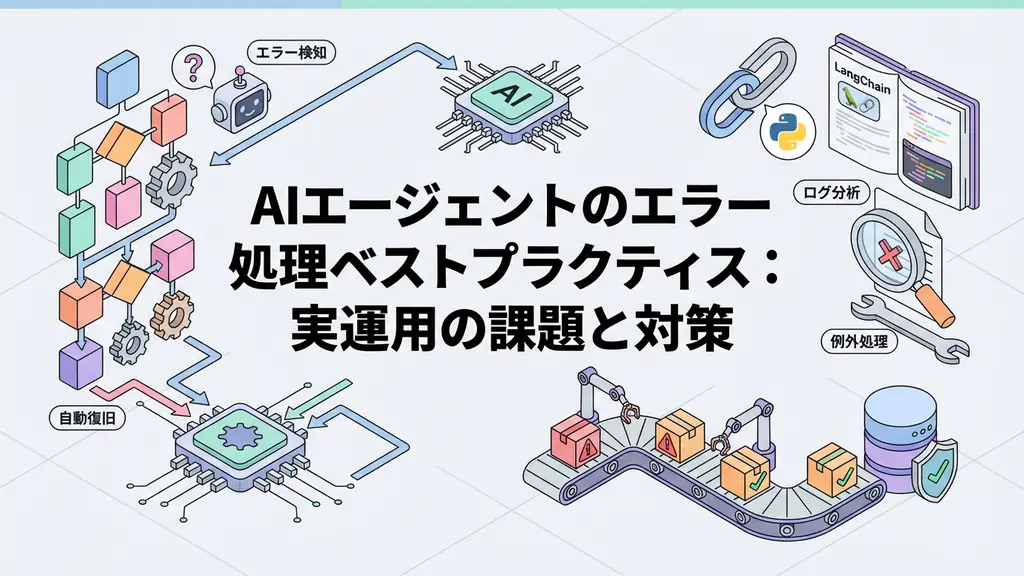
In the field of business automation, I often hear the concern: “I wrote the script, but it stopped working as soon as the specifications changed slightly.” Traditional RPA (Robotic Process Automation) and Python script automation excel at reliably running predetermined paths, but they have the fragility of stumbling over a single stone on the roadside. The automation process stops just because the screen layout changes or unexpected error codes are included in the API response.
“AI Agents” can become a groundbreaking turning point to solve this “fragility.” AI agents are not just chatbots but systems that have LLM (Large Language Model) as their “brain,” use tools to achieve given goals, and execute tasks while modifying plans themselves.
In this article, aimed at engineers, we focus on the internal operations of AI agents, particularly the important pattern called “ReAct (Reason + Act),” and explain implementation methods using actually working Python code. By looking at practical code including error handling and logging, not just theory, we provide knowledge that can be applied to business automation starting tomorrow.
Critical Differences Between Traditional Automation and AI Agents
Until now, automation mainly operated on the worldview of “imperative programming.” “If A, then do B,” “If error, then log C and exit”—all branches had to be predefined by humans. While this makes system behavior predictable, it has the disadvantage of exponentially increasing exception handling costs.
In contrast, AI agents take a “declarative” or “goal-oriented” approach. Just giving the goal “Analyze sales data and create a report,” the agent autonomously assembles the following process:
- Select tools to access the database
- Generate appropriate SQL queries to retrieve data
- If data is incomplete, search the Web for complementary data
- Summarize analysis results and send by email
What’s important here is that if a SQL error occurs in step 2, the agent can reason “I might have made a syntax error in the query” and rewrite the query to retry. This cycle of “reasoning” and “execution” is what sets AI agents apart from traditional scripts.
Internal Structure of AI Agents: ReAct Pattern and Tool Usage
As a core mechanism widely adopted in AI agents, the “ReAct (Reasoning and Acting)” pattern is used. This is a method that makes the LLM loop through “thought,” “action,” and “observation” to solve complex problems step by step.
Specifically, the flow is as follows:
- Thought: Strategize what to do next in response to user requests
- Action: Execute selected tools (search, calculation, DB access, etc.)
- Observation: Check output results from tools
- Loop: Return to 1 if results are insufficient, generate final answer if sufficient
Visualizing this loop results in the following architecture:
When building agents, what “tools” to provide around this LLM becomes the key to design. Tools range from simple functions to external API wrappers and code execution environments.
Business Use Case: Incident Response Automation
As a concrete business application, let’s consider “incident response automation.” Currently, many SREs (Site Reliability Engineers) and infrastructure personnel wake up to respond to late-night alert notifications, check logs, and perform restarts or rollbacks.
By introducing AI agents, the following processes can be automated:
- Alert Reception: Receive error messages from monitoring tools
- Situation Analysis: Agent collects relevant logs and reasons about error causes (e.g., memory leak, external API down)
- Response Consideration: Searches past cases and documentation to identify appropriate responses (e.g., container restart)
- Execution and Approval: Automatically executes restart commands if impact scope is judged small, requests approval from personnel via Slack if scope is large
This allows engineers to focus on high-priority responses and their original development work.
Implementation Example: Autonomous Data Analysis Agent in Python
Now let’s actually implement a simple AI agent using Python. Here, we write code that clearly understands the agent’s internal operations by combining OpenAI API and Python standard features without using expensive external frameworks.
This agent autonomously handles the task of “calculating the average of given numerical data and checking if it exceeds a certain threshold.”
Prerequisites
Please install the necessary libraries.
pip install openai python-dotenvSource Code
The following code is a practical example including error handling, logging, and ReAct loop implementation.
import os
import json
import logging
from typing import List, Dict, Any, Optional
from openai import OpenAI

# Logging configuration
logging.basicConfig(
    level=logging.INFO,
    format='%(asctime)s - %(levelname)s - %(message)s'
)
logger = logging.getLogger(__name__)

class Tool:
    """Base class for tools available to the agent"""
    def __init__(self, name: str, description: str):
        self.name = name
        self.description = description

    def run(self, **kwargs) -> str:
        raise NotImplementedError

class CalculatorTool(Tool):
    """Tool for performing calculations"""
    def __init__(self):
        super().__init__(
            name="calculator",
            description="Receives a list of numbers and calculates the average. Requires 'numbers': [list] as argument."
        )

    def run(self, numbers: List[float]) -> str:
        try:
            if not numbers:
                return "Error: Number list is empty."
            avg = sum(numbers) / len(numbers)
            logger.info(f"Calculation executed: Input={numbers}, Average={avg}")
            return json.dumps({"average": avg})
        except Exception as e:
            logger.error(f"Calculator tool error: {e}")
            return f"Error: Problem occurred during calculation ({e})"

class DatabaseTool(Tool):
    """Tool for retrieving data from pseudo database"""
    def __init__(self):
        super().__init__(
            name="database",
            description="Retrieves data of a specific ID from the database. Requires 'id': int as argument."
        )
        # Pseudo data
        self.mock_data = {
            1: {"id": 1, "sales": [100, 200, 150]},
            2: {"id": 2, "sales": [5000, 6000, 5500]},
            3: {"id": 3, "sales": [10, 20, 30]}
        }

    def run(self, id: int) -> str:
        try:
            data = self.mock_data.get(id)
            if data:
                logger.info(f"DB retrieval: ID={id}, Data={data}")
                return json.dumps(data)
            else:
                logger.warning(f"DB retrieval failed: ID={id} not found")
                return f"Error: Data for ID {id} was not found."
        except Exception as e:
            logger.error(f"DB tool error: {e}")
            return f"Error: Problem occurred during data retrieval ({e})"

class Agent:
    """Simple agent implementing ReAct pattern"""
    def __init__(self, api_key: str):
        self.client = OpenAI(api_key=api_key)
        self.tools: Dict[str, Tool] = {
            "calculator": CalculatorTool(),
            "database": DatabaseTool()
        }
        self.system_prompt = self._build_system_prompt()

    def _build_system_prompt(self) -> str:
        tool_descriptions = "\n".join([
            f"- {tool.name}: {tool.description}"
            for tool in self.tools.values()
        ])
        return f"""
You are a helpful AI assistant.
Available tools:
{tool_descriptions}

For user questions, please output thoughts and actions in the following JSON format:
{{
  "thought": "Thought about what to do next",
  "action": "Tool name or 'final_answer'",
  "action_input": {{Input parameters to tool}} or "Final answer string"
}}

Rules:
1. Always use tools to check information before answering.
2. When final answer is decided, set action to 'final_answer'.
3. action_input must be valid JSON format or string.
"""

    def _call_llm(self, messages: List[Dict[str, str]]) -> Dict[str, Any]:
        """Call LLM and parse response"""
        try:
            response = self.client.chat.completions.create(
                model="gpt-4o-mini", # Select cost-effective model
                messages=messages,
                temperature=0
            )
            content = response.choices[0].message.content
            logger.info(f"LLM response: {content}")
            return json.loads(content)
        except json.JSONDecodeError:
            logger.error("Could not parse LLM response as JSON")
            return {
                "thought": "Failed to parse response",
                "action": "final_answer",
                "action_input": "Sorry. An internal processing error occurred."
            }
        except Exception as e:
            logger.error(f"LLM API error: {e}")
            raise

    def run(self, user_query: str, max_steps: int = 5) -> str:
        """Agent execution loop"""
        messages = [
            {"role": "system", "content": self.system_prompt},
            {"role": "user", "content": user_query}
        ]

        for step in range(max_steps):
            logger.info(f"--- Step {step + 1} ---")

            # LLM decision on thought and action
            llm_response = self._call_llm(messages)

            action = llm_response.get("action")
            action_input = llm_response.get("action_input")
            thought = llm_response.get("thought", "")

            # If final answer
            if action == "final_answer":
                logger.info(f"Final answer generated: {action_input}")
                return action_input

            # Tool execution
            if action in self.tools:
                tool = self.tools[action]
                try:
                    # Parse action_input
                    if isinstance(action_input, dict):
                        observation = tool.run(**action_input)
                    else:
                        observation = tool.run()
                except Exception as e:
                    observation = f"Tool execution error: {e}"
                    logger.error(observation)

                # Add to message history
                messages.append({
                    "role": "assistant",
                    "content": json.dumps(llm_response)
                })
                messages.append({
                    "role": "user",
                    "content": f"Observation: {observation}"
                })
            else:
                error_msg = f"Unknown tool: {action}"
                logger.error(error_msg)
                messages.append({
                    "role": "user",
                    "content": f"Error: {error_msg}"
                })

        return "Maximum number of steps reached. Task could not be completed."

# Execution example
if __name__ == "__main__":
    import os
    from dotenv import load_dotenv

    load_dotenv()
    api_key = os.getenv("OPENAI_API_KEY")

    if not api_key:
        print("Error: OPENAI_API_KEY environment variable is not set.")
    else:
        agent = Agent(api_key=api_key)

        # Example query
        query = "Retrieve data for ID 2 and calculate the average sales"
        print(f"\nQuery: {query}")
        result = agent.run(query)
        print(f"\nResult: {result}")
Code Explanation
This code implements the core of the ReAct pattern. Key points:
- Tool Abstraction: The
Toolbase class allows easy addition of new tools - LLM Response Parsing: Strictly parses JSON responses and handles errors appropriately
- Message History Management: Maintains conversation context and enables multi-step reasoning
- Logging: Records all steps for debugging and monitoring
Summary
AI agents are not just automation tools but partners that expand the possibilities of business processes. By combining LLM reasoning capabilities with appropriate tools, we can build more flexible and robust systems than traditional scripts.
Key takeaways:
- ReAct Pattern: The cycle of Thought → Action → Observation is the foundation of agent behavior
- Tool Design: Carefully designing what tools to provide determines agent capabilities
- Error Handling: Since LLM responses are non-deterministic, strict error handling is essential
- Logging: Recording all steps enables debugging and performance improvement
Start with small tasks and gradually expand the scope of automation. The era of AI agents that collaborate with humans has already begun.
Frequently Asked Questions
Q: What is the biggest difference between AI agents and traditional RPA?
While traditional RPA mechanically executes predetermined procedures, AI agents have LLM as their brain and possess the flexibility to plan and modify execution procedures themselves according to the situation. They can handle unstructured data and respond to unexpected errors.
Q: What is the most important point to note when implementing AI agents?
The risk of losing control due to “hallucinations” or “tool misuse.” To prevent this, it is essential to establish guardrails (human approval processes), thorough log monitoring, and limit the agent’s scope of action to the minimum necessary tools.
Q: What libraries should be used for code implementation?
This article uses Python standard libraries and OpenAI API to understand internal mechanisms, but in practice, frameworks like LangChain, LangGraph, and AutoGen can be utilized to streamline state management and error handling.
Recommended Resources
Tools & Frameworks
- LangChain - Framework for LLM application development
- LangGraph - Framework for building agent workflows
- AutoGen - Multi-agent conversation framework by Microsoft
Books & Articles
- “ReAct: Synergizing Reasoning and Acting in Language Models” - Original ReAct paper
- “Building LLM Applications” - Practical guide for LLM application development
AI Implementation Support & Development Consultation
Struggling with AI agent implementation or business automation? We offer free individual consultations.
Our team of experienced engineers provides support from architecture design to implementation.
References
[1] ReAct Paper [2] LangChain Documentation [3] OpenAI API Documentation