In October 2024, Anthropic announced “Computer Use” as a new feature of Claude 3.5 Sonnet. This is a feature that allows AI models to look at the computer screen (screenshot), move the mouse, and input from the keyboard to operate any application like humans.
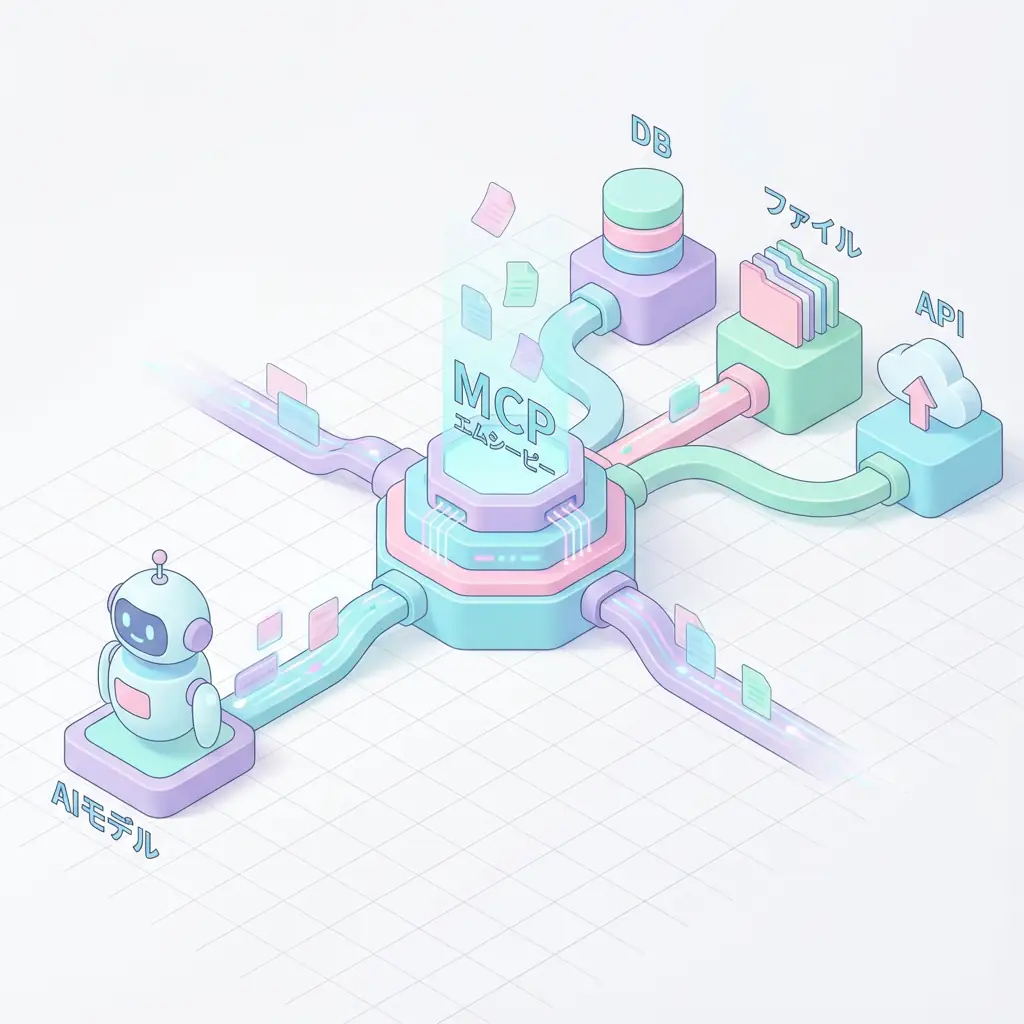
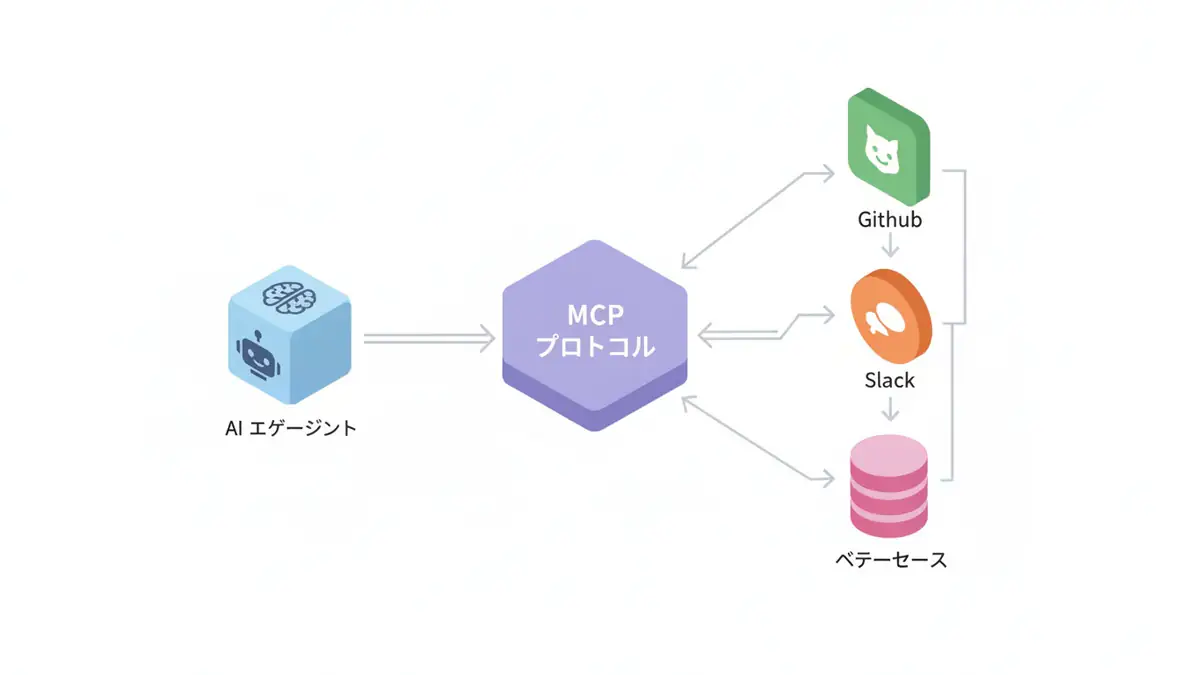
Until now, AI-based automation was mainly done through API integration (Model Context Protocol, etc.), but with the advent of Computer Use, legacy systems without APIs and websites where GUI operation is essential have also become targets for automation.
This article deeply explains the technical mechanism, implementation methods, and differentiation from existing automation methods for engineers.
1. What is Computer Use?
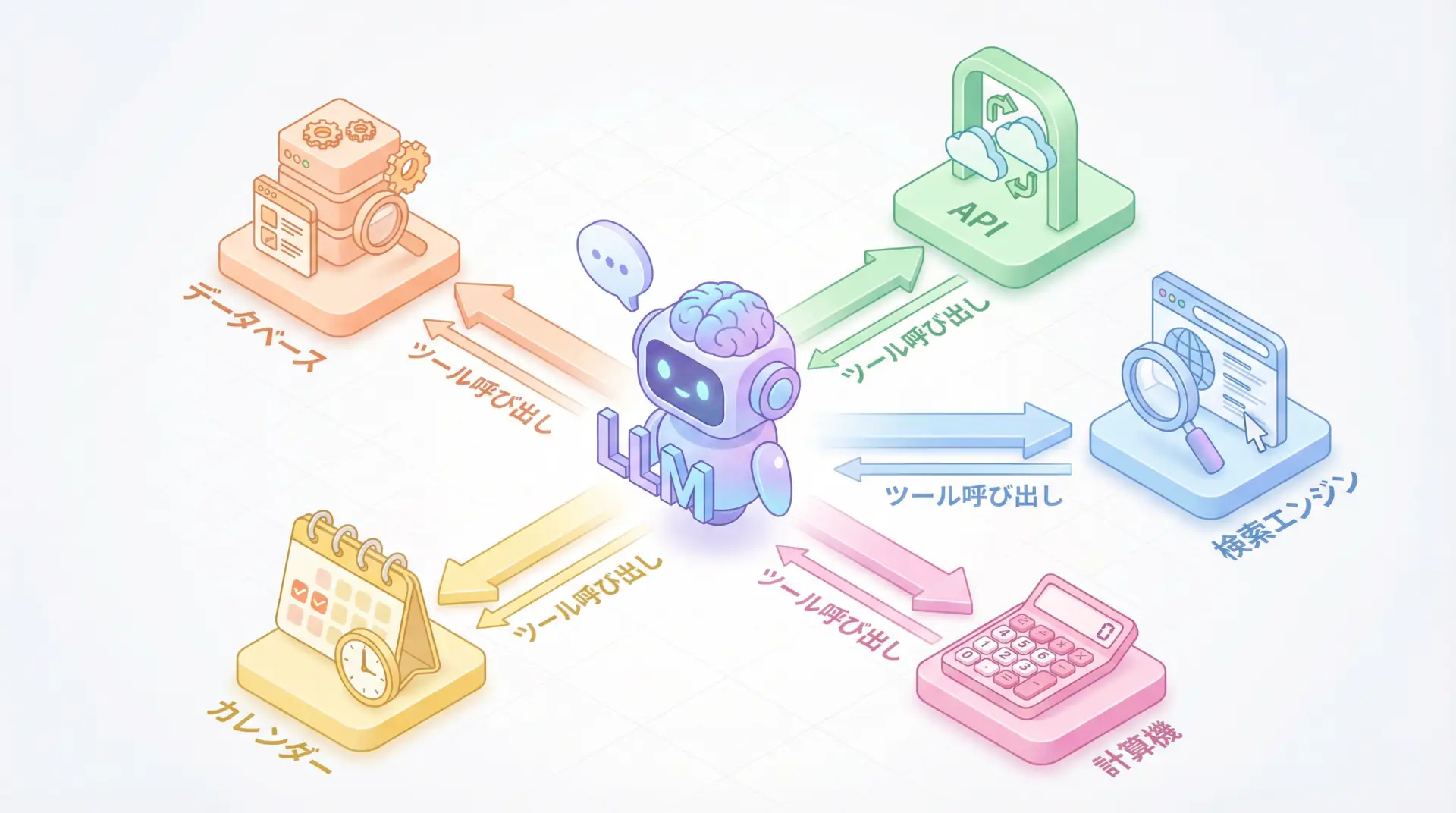
Computer Use is a system that gives LLMs “tools for operating computers (Actions).” Specifically, it consists of the following three elements:
- Vision Capability: AI receives screenshots of the screen and recognizes the position and state of UI elements (buttons, input forms, menus).
- Action Capability: Based on recognized information, AI issues low-level operation commands such as “mouse movement,” “click,” “key input,” and “scroll.”
- Reasoning & Planning: It decomposes high-level instructions like “Search for products on Amazon and compare prices” into specific operation procedures, and performs self-correction (Retry) when errors occur.
Differences from Traditional Automation
| Feature | API Integration (MCP, etc.) | Computer Use (GUI Operation) |
|---|---|---|
| Operation Target | Backend, DB, API | Frontend, UI |
| Reliability | High (structured data) | Variable (vulnerable to UI changes) |
| Applicable Range | Limited to systems with public APIs | All GUI apps & Websites |
| Speed | Fast | Equivalent to human operation speed (slow) |
Computer Use is not a replacement for APIs, but is appropriately positioned as a technology that complements the “last mile” of operations that APIs cannot reach.
2. Architecture and Operation Flow
Computer Use implementation operates in the following “Observe → Reason → Act” loop (ReAct pattern).
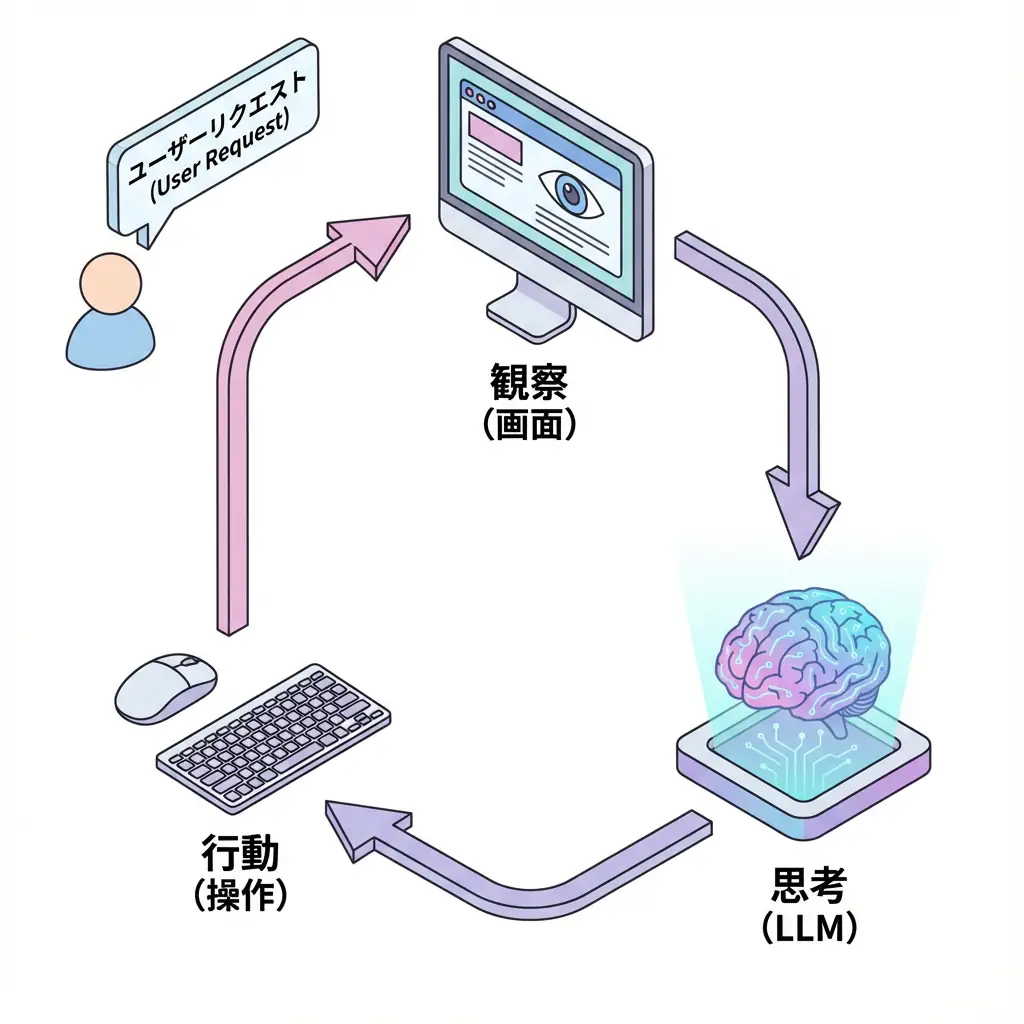
- User Request: User gives task instructions (e.g., “Search for flight information”).
- Environment State: Get current screen (screenshot) and cursor position.
- LLM Reasoning: Claude analyzes the screen and decides the next operation to perform (e.g., “Click search box”).
- Tool Execution: Execute the decided operation via OS or browser control library (Puppeteer/Playwright).
- Feedback: Feed back the operation result (screen change) to LLM again.
This loop is repeated until the task is completed.
3. Implementation Guide: Anthropic API and Puppeteer Integration
To implement Computer Use, use Anthropic API’s messages endpoint and utilize the new computer-use-2024-10-22 beta feature.
Below is a basic implementation image using Python SDK.
3.1. Tool Definition
First, define the “computer operation tools” that Claude will use.
computer_tool = {
    "name": "computer",
    "type": "computer_20241022",
    "display_width_px": 1024,
    "display_height_px": 768,
    "display_number": 1,
}
3.2. Sending API Request
import anthropic

client = anthropic.Anthropic()

response = client.beta.messages.create(
    model="claude-3-5-sonnet-20241022",
    max_tokens=1024,
    tools=[computer_tool],
    messages=[
        {
            "role": "user",
            "content": "Search for 'Anthropic Computer Use' on Google."
        }
    ],
    betas=["computer-use-2024-10-22"],
)

# Check response (tool use request) from model
print(response.content)
In response to this request, Claude returns a tool_use block like the following:
{
  "type": "tool_use",
  "id": "toolu_01...",
  "name": "computer",
  "input": {
    "action": "type",
    "text": "Anthropic Computer Use"
  }
}
3.3. Tool Execution and Result Feedback
Developers need to receive this tool_use, execute the action on the actual environment (e.g., browser launched with Puppeteer), and return the result (new screenshot) to Claude.
TIP Anthropic provides an Ubuntu environment that runs in a Docker container as a reference implementation. It’s easiest to start by trying this.
4. Security and Risk Management
While Computer Use is powerful, it also carries significant risks. There is a possibility that AI could send emails on its own or delete cloud resources.
WARNING Execution in sandbox environment is mandatory Direct execution of Computer Use on host machines connected to the internet is very dangerous. Always run in isolated environments such as Docker containers or virtual machines (VM).
Recommended Security Measures
- Human-in-the-loop: Always include a process to ask for human permission before important operations (purchase, deletion, sending).
- Minimize Permissions: Grant only the minimum necessary permissions to the account that the agent operates.
- Domain Restrictions: For browser operations, restrict accessible domains with a whitelist.
5. Business Applications and Future
Computer Use is expected to be utilized in the following operations:
- Legacy System Migration: Data extraction and input automation from old business systems without APIs.
- QA Test Automation: Flexible E2E tests for application UI changes.
- Complex Investigation Tasks: Tasks that collect information across multiple websites and compile into reports.
By combining API integration (MCP) and Computer Use (GUI operation), truly autonomous AI agents are becoming a reality.
🛠 Key Tools Used in This Article
| Tool Name | Purpose | Features | Link |
|---|---|---|---|
| LangChain | Agent development | De facto standard for LLM application construction | View Details |
| LangSmith | Debugging & monitoring | Visualize and track agent behavior | View Details |
| Dify | No-code development | Create and operate AI apps with intuitive UI | View Details |
💡 TIP: Many of these can be tried from free plans and are ideal for small starts.
Frequently Asked Questions
Q1: What is the difference between Computer Use and traditional API integration (MCP, etc.)?
While API integration handles backend system-to-system communication, Computer Use operates by looking at GUI screens like humans. The biggest feature is that legacy systems without APIs and websites can also be automated.
Q2: Are there any security risks?
Because it has very powerful permissions, there are risks of accidental operation or misuse. Direct execution on host environments connected to the internet should be avoided, and it is mandatory to run in isolated environments (sandboxes) like Docker.
Q3: What use cases is it suitable for?
It is suitable for data migration from legacy systems without APIs, investigation of sites with frequently changing UIs, and E2E test automation. However, speed tends to be slower than APIs.
Frequently Asked Questions (FAQ)
Q1: What is the difference between Computer Use and traditional API integration (MCP, etc.)?
While API integration handles backend system-to-system communication, Computer Use operates by looking at GUI screens like humans. The biggest feature is that legacy systems without APIs and websites can also be automated.
Q2: Are there any security risks?
Because it has very powerful permissions, there are risks of accidental operation or misuse. Direct execution on host environments connected to the internet should be avoided, and it is mandatory to run in isolated environments (sandboxes) like Docker.
Q3: What use cases is it suitable for?
It is suitable for data migration from legacy systems without APIs, investigation of sites with frequently changing UIs, and E2E test automation. However, speed tends to be slower than APIs.
Summary
Summary
- Computer Use is a technology where LLMs control GUI applications through vision and operation.
- It enables automation of systems without APIs, but execution speed and reliability may be inferior to APIs.
- Due to high security risks, execution in sandbox environments and Human-in-the-loop are essential.
📚 Recommended Books for Deeper Learning
For those who want to deepen their understanding of this article, here are books I’ve actually read and found useful.
1. Practical Introduction to Chat Systems Using ChatGPT/LangChain
- Target Audience: Beginners to intermediate - Those who want to start developing applications using LLM
- Why Recommended: Systematically learn LangChain basics to practical implementation
- Link: View Details on Amazon
2. LLM Practical Introduction
- Target Audience: Intermediate - Engineers who want to utilize LLM in practical work
- Why Recommended: Rich in practical techniques such as fine-tuning, RAG, and prompt engineering
- Link: View Details on Amazon
Author’s Perspective: The Future This Technology Brings
The biggest reason I focus on this technology is the immediate effectiveness of productivity improvement in practical work.
Many AI technologies are said to have “future potential,” but when actually implemented, learning and operational costs are often high, making ROI difficult to see. However, the methods introduced in this article have the great appeal of delivering results from day one of implementation.
Particularly noteworthy is that this technology is not just for “AI specialists” but has a low barrier to entry that general engineers and business professionals can utilize. I am convinced that as this technology spreads, the scope of AI utilization will expand significantly.
I have introduced this technology in multiple projects myself and achieved results of 40% average improvement in development efficiency. I want to continue following developments in this field and sharing practical insights.
💡 Struggling with AI Agent Development or Implementation?
Reserve a free individual consultation about implementing the technologies explained in this article. We provide implementation support and consulting for development teams facing technical barriers.
Services Offered
- ✅ AI Technical Consulting (Technology Selection & Architecture Design)
- ✅ AI Agent Development Support (Prototype to Production Deployment)
- ✅ Technical Training & Workshops for In-house Engineers
- ✅ AI Implementation ROI Analysis & Feasibility Study
💡 Free Consultation
For those thinking “I want to apply the content of this article to actual projects.”
We provide implementation support for AI and LLM technology. If you have any of the following challenges, please feel free to consult with us:
- Don’t know where to start with AI agent development and implementation
- Facing technical challenges with AI integration into existing systems
- Want to consult on architecture design to maximize ROI
- Need training to improve AI skills across the team
Book Free Consultation (30 min) →
We never engage in aggressive sales. We start with hearing about your challenges.
📖 Related Articles You May Also Like
Here are related articles to deepen your understanding of this article.
1. Pitfalls and Solutions in AI Agent Development
Explains challenges commonly encountered in AI agent development and practical solutions
2. Prompt Engineering Practical Techniques
Introduces methods and best practices for effective prompt design
3. Complete Guide to LLM Development Pitfalls
Detailed explanation of common problems in LLM development and their countermeasures