When working with development utilizing LLMs (Large Language Models), you inevitably hit the wall of “goldfish-like memory.” No matter how high-performance the model, everything resets when the session ends, and past conversations beyond the context window (the amount of information that can be processed at once) disappear like bubbles.
I once faced a situation when developing an agent to analyze complex codebases where the model forgot bug fix policies pointed out in the past, forcing us to repeat the same discussions over and over. This is not just an inconvenience. It is a decisive bottleneck for making agents perform “autonomous work.”
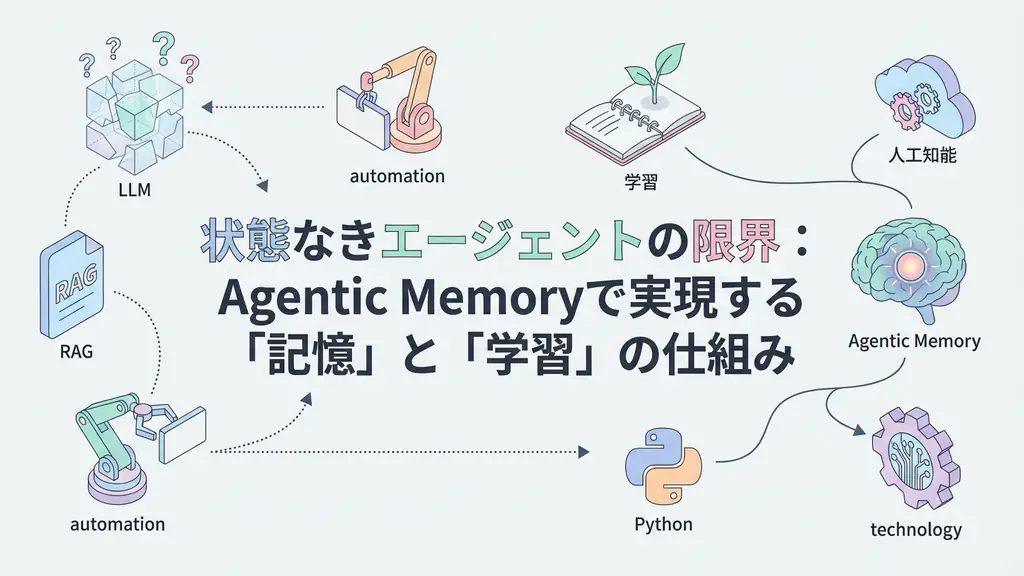
Agentic Memory is the mechanism to solve this challenge. It provides not just saving past logs, but a structured memory layer for agents to “recall” necessary information and “learn” from it. In this article, we will delve deep into how to overcome the limitations of stateless LLMs, their technical background, concrete implementation code, and business applications.
Limitations of Stateless Agents and the Need for Memory
Traditional chatbot-type AI is fundamentally Stateless. When a user says “Hello” and the bot responds “Hello,” once that exchange ends, the bot forgets that the conversation even existed. This stems from LLMs being calculators that probabilistically predict the next word, without internal persistent storage.
However, the “agent” behavior we expect from engineers is more sophisticated. We want them to consider context like “based on yesterday’s discussion” and “from past trends of this project,” making judgments that span time axes.
This is where Agentic Memory comes in. It is designed as an architecture mimicking human memory processes.
- Sensory Memory: Temporary retention of input data.
- Short-term Memory: Information needed for current task execution (within context window).
- Long-term Memory: Persistent storage of past experiences, knowledge, user settings, etc. (vector DB, etc.).
By implementing Agentic Memory, LLMs evolve from mere “calculators” to “partners that accumulate experience.” Why is this necessary now? Because AI application areas are shifting from “one-off Q&A” to “continuous process automation.” As long as processes continue, past history is an asset that must be utilized.
Technical Architecture of Agentic Memory
From a technical perspective, Agentic Memory is not just database save/load. Intelligence is needed to judge “what to remember, what to forget, and when to recall.”
In general implementation patterns, the following components work together:
- Embedding Model: Vectorizes text data to enable calculation of semantic similarity.
- Vector Store: Database for high-speed search and storage of vector data (ChromaDB, Pinecone, pgvector, etc.).
- Importance Scoring: Filtering function to prioritize information to save and eliminate noise.
- Memory Stream: Mechanism to record events in chronological order and perform summarization and compression.
Particularly important is the timing of “retrieval.” When there is new user input, the agent does not immediately generate a response but first searches long-term memory. This search query itself is often optimized using LLMs. We let the LLM itself judge “what past information is highly relevant to this user’s question.”
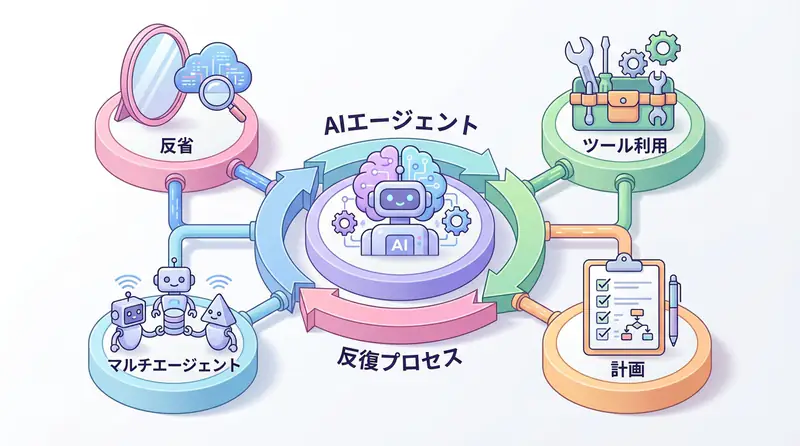
Visualizing this architecture creates the following feedback loop. The cycle where agents act, remember results, and apply them to next actions is the core of Agentic Memory.
Implementation Example: Learning-enabled Agent in Python
Now let’s look at concrete code. Here, we implement a simple agent using Python’s langchain library and locally operable ChromaDB that remembers user feedback and reflects it from next time.
This code is not “Hello World”-like behavior but has a practical structure including error handling, logging, and vector search.
Prerequisites
Install necessary libraries.
pip install langchain langchain-openai langchain-community chromadbSource Code
import logging
from typing import List, Optional
from datetime import datetime

from langchain_openai import OpenAIEmbeddings, ChatOpenAI
from langchain_chroma import Chroma
from langchain.schema import HumanMessage, SystemMessage, AIMessage
from langchain.memory import VectorStoreRetrieverMemory

# Logging configuration
logging.basicConfig(
    level=logging.INFO,
    format='%(asctime)s - %(levelname)s - %(message)s'
)
logger = logging.getLogger(__name__)

class AgenticMemoryAssistant:
    def __init__(self, persist_directory: str = "./db"):
        """
        Initialize assistant with Agentic Memory.
        Sets up vector DB and LLM.
        """
        try:
            # Initialize embedding model (assuming OpenAI's text-embedding-3-small, etc.)
            self.embeddings = OpenAIEmbeddings()

            # Initialize vector store
            self.vectorstore = Chroma(
                collection_name="agent_memory",
                embedding_function=self.embeddings,
                persist_directory=persist_directory
            )

            # Configure search functionality (retrieve top 3)
            retriever = self.vectorstore.as_retriever(search_kwargs={"k": 3})

            # Wrap LangChain's Memory functionality
            self.memory = VectorStoreRetrieverMemory(retriever=retriever)

            # Initialize LLM (assuming GPT-4o, etc.)
            self.llm = ChatOpenAI(model="gpt-4o", temperature=0)

            logger.info("AgenticMemoryAssistant initialized successfully.")

        except Exception as e:
            logger.error(f"Initialization failed: {e}")
            raise

    def _get_contextual_prompt(self, input_text: str) -> str:
        """
        Search past memories and build prompt according to current context.
        """
        try:
            # Retrieve related past memories
            relevant_memories = self.memory.load_memory_variables({"prompt": input_text})
            history = relevant_memories.get("history", [])

            context_str = "\n".join([f"- {mem}" for mem in history])

            system_prompt = f"""You are a friendly and learning-capable AI assistant.
You remember past interactions and feedback with users, and adjust responses based on them.

【Past Memories (Reference Information)】
{context_str if context_str else "No relevant memories yet."}

Based on the above memories, please answer the current user's question.
If there are instructions that contradict information in memory, prioritize the latest user intent while
considering past context and explaining politely."""

            return system_prompt

        except Exception as e:
            logger.warning(f"Context retrieval failed: {e}. Proceeding without context.")
            return "You are a friendly AI assistant."

    def chat(self, user_input: str) -> str:
        """
        Engage in dialogue with user and save results to memory.
        """
        try:
            logger.info(f"User Input: {user_input}")

            # 1. Context retrieval and prompt construction
            system_prompt = self._get_contextual_prompt(user_input)

            messages = [
                SystemMessage(content=system_prompt),
                HumanMessage(content=user_input)
            ]

            # 2. LLM response generation
            response = self.llm.invoke(messages)
            ai_response = response.content
            logger.info(f"AI Response: {ai_response}")

            # 3. Memory saving (learning process)
            # Save user input and AI response as a pair to record context
            self.save_memory(user_input, ai_response)

            return ai_response

        except Exception as e:
            logger.error(f"Error during chat execution: {e}")
            return "Sorry. An error occurred during processing."

    def save_memory(self, input_text: str, output_text: str):
        """
        Save dialogue content to vector DB.
        For simplicity, treat user feedback as important memory here.
        """
        try:
            # Create text to save (pair of user input and AI response)
            memory_content = f"User: {input_text}\nAssistant: {output_text}"

            # Add to vector DB
            self.vectorstore.add_texts(
                texts=[memory_content],
                metadatas=[{"timestamp": datetime.now().isoformat()}]
            )
            logger.info("Memory saved successfully.")

        except Exception as e:
            logger.error(f"Failed to save memory: {e}")

# Execution example
if __name__ == "__main__":
    # Assuming OPENAI_API_KEY environment variable is set
    try:
        assistant = AgenticMemoryAssistant()

        print("--- 1st Dialogue ---")
        res1 = assistant.chat("When writing code, please use snake_case for variable names consistently.")
        print(f"Bot: {res1}\n")

        print("--- 2nd Dialogue (Memory Check) ---")
        res2 = assistant.chat("Please create a class to manage user information.")
        print(f"Bot: {res2}\n")

        # Expected behavior: In the 2nd response, code reflecting the 1st instruction (snake_case) should be output.

    except KeyError:
        print("Error: OPENAI_API_KEY environment variable is not set.")
    except Exception as e:
        print(f"An unexpected error occurred: {e}")
The key point of this code is the collaboration between the save_memory method and _get_contextual_prompt method. The moment a user instructs “write in snake_case,” that text is vectorized and saved. When next asked to create a class, vector retrieval pulls out past instructions and injects them into the system prompt. This allows the LLM to generate code that maintains past context without being explicitly re-instructed.
Business Use Case: Self-evolving Bot in Customer Support
This technology demonstrates its power most in the customer support domain.
Traditional FAQ bots could only answer from pre-registered knowledge bases. However, support bots with Agentic Memory enable the following operations:
- Initial Stage: Answer based on product manuals.
- Exception Occurrence: Users post “workarounds” or “field wisdom” like “the manual says this, but it actually worked with this setting.”
- Memory and Learning: The bot saves this exchange to long-term memory. To improve accuracy, metadata can be added to reference this information only under specific conditions.
- Self-evolution: From next time, for similar inquiries, it can propose solutions verified in the field rather than just manual text.
Summary
Agentic Memory is not just a storage technology but a paradigm shift that gives AI agents “continuity” and “personality.”
Key takeaways:
- Beyond Stateless: LLM limitations are overcome by external memory layers
- Learning Loop: The cycle of action → memory → application enables continuous improvement
- Business Value: Particularly effective in fields requiring personalization like customer support
- Technical Stack: Combination of embedding models, vector DBs, and importance scoring
The era of agents that grow with users has arrived. Start implementing Agentic Memory today.
Frequently Asked Questions
Q: What is the difference between Agentic Memory and traditional RAG?
While traditional RAG focuses on static document retrieval, Agentic Memory dynamically saves and updates conversation context and user feedback, including a “learning” process that changes the agent’s own behavioral policies.
Q: What technologies are needed besides vector databases?
In addition to vector databases, you need a scoring mechanism to determine memory importance, an architecture to distribute between long-term, short-term, and working memory, and an interface to integrate with LLMs.
Q: What is the biggest challenge in implementation?
Maintaining search accuracy and cost management. As memory volume increases, search noise increases and LLM context consumption surges dramatically, requiring appropriate memory compression and forgetting strategies.
Recommended Resources
Tools & Frameworks
- LangChain - Framework for LLM application development
- ChromaDB - Open-source vector database
- Pinecone - Managed vector database service
Books & Articles
- “Building LLM Applications” - Practical guide for LLM application development
- “Vector Databases for AI Applications” - Technical guide for vector databases
AI Implementation Support & Development Consultation
Struggling with Agentic Memory implementation or AI agent development? We offer free individual consultations.
Our team of experienced engineers provides support from architecture design to implementation.
References
[1] LangChain Memory Documentation [2] ChromaDB Documentation [3] OpenAI Embeddings API